Understanding the Unit Page
RentBamboo automatically syncs your units across all your properties into one centralized page. This makes it easy for your team to browse available units, compare pricing, share availability with prospects, and create quotes.
1. Viewing and Filtering Units
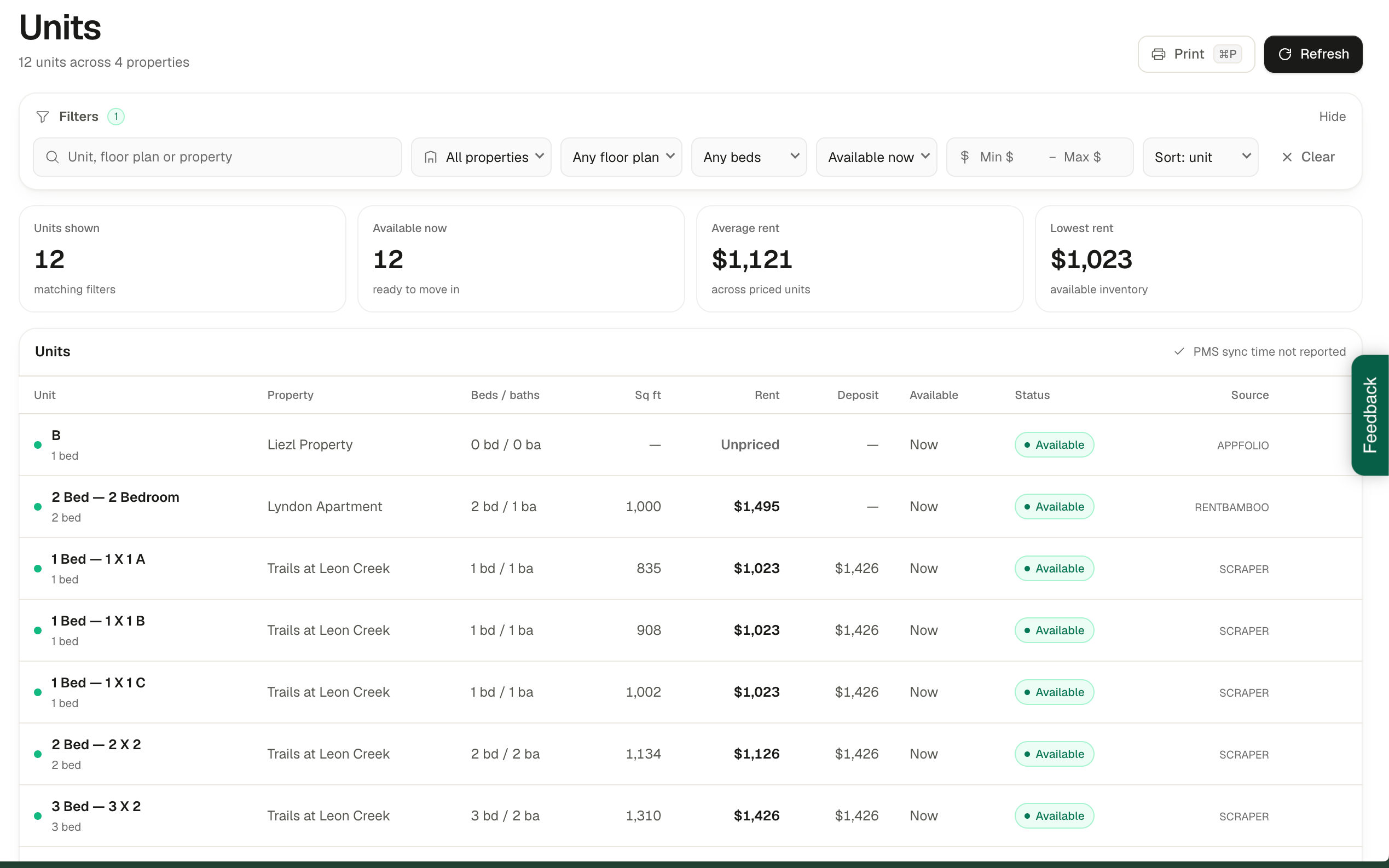
The Unit Page automatically pulls in your units across all connected properties.
From here, you can:
Filter units: Use the search bar and filters to narrow down available units based on a prospect's preferences.
View availability: Quickly see which units are available and review their pricing.
Print availability sheets: Select Print in the top-right corner to generate a printable vacancy report.
These reports make it easy to review pricing with prospects, share current availability, or walk someone through their options over the phone.
You can also include a direct application QR code on the printed sheet, making it easy for prospects to scan and apply.
2. Creating Quotes
RentBamboo can automatically pull pricing and lease-term options from your connected revenue management system.
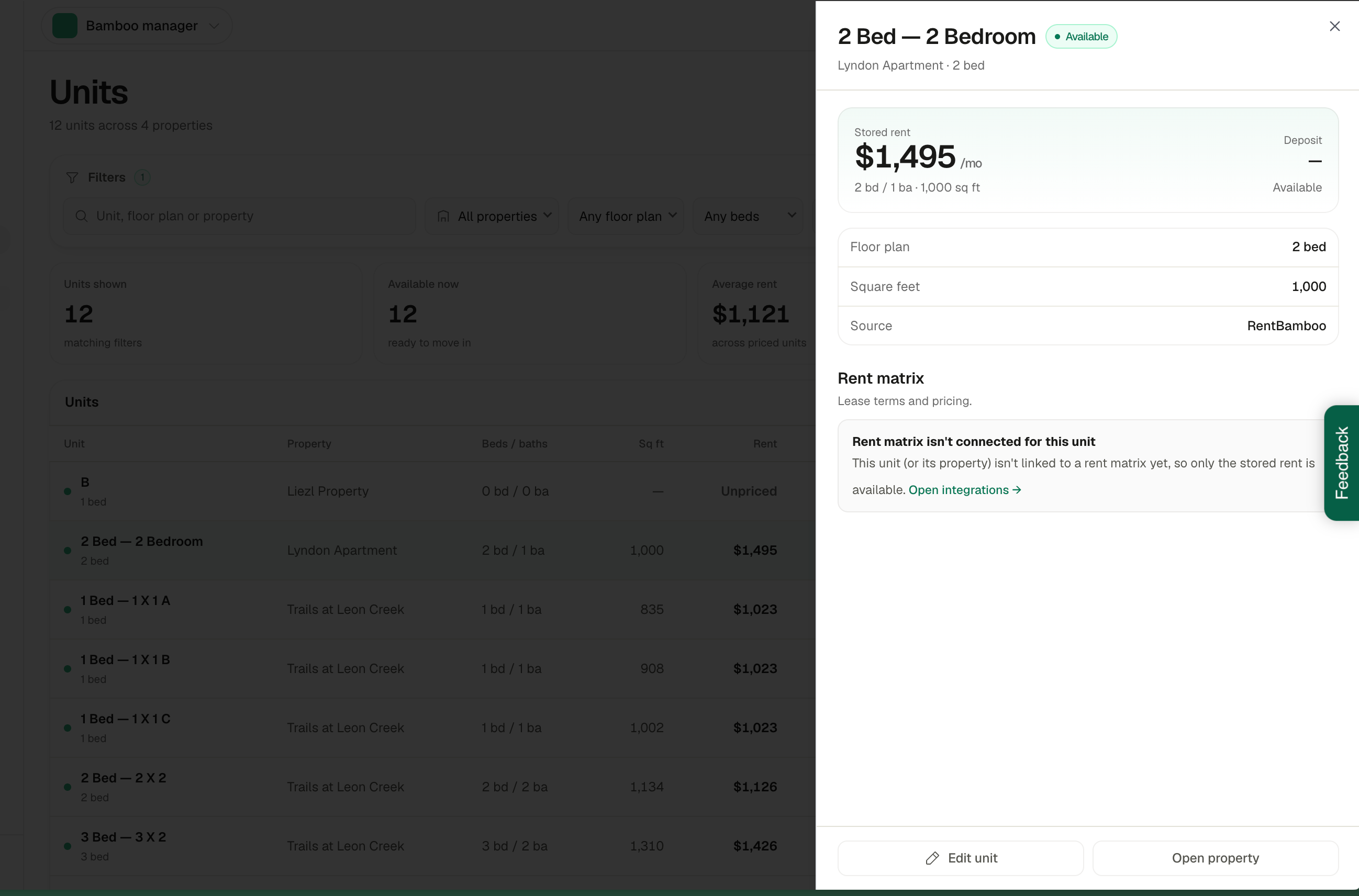
Select any unit to open its details and view additional information, including available pricing options when a revenue management integration is connected.
From the unit details panel, you can:
Review pricing: View the unit's stored rent and available pricing options.
Edit unit details: Make adjustments to the property's unit information.
Send a quote: Automatically generate and send a quote to a prospect.
This allows your team to quickly put together accurate pricing options and send them directly to prospects without switching between systems.