There are two ways to set up your Propertyware account with RentBamboo, depending on how your account is configured.
Option 1: Follow this option if leads are not automatically created in Propertyware.
Option 2: Follow this option if lead records are automatically created in Propertyware.
Create a dedicated user in PropertyWare:
Name: RentBamboo AI
Role: Leasing/Marketing privileges with access to prospects and leads
Assign to all properties to be automated
This ensures the AI can sync and write back notes or updates safely.
Once created ensure the RentBamboo user has notification enabled.
Log in to RentBamboo.
Verify that Properyware sent a verification email to your RentBamboo email inbox
Optional launch call to review AI behavior.
Monitor lead handling for the first week for accuracy and tone.
Now that your data is synced in, let’s train the AI:
AI Agent Introduction
What each AI agent does and how it operates
Propertyware's Open API is an add-on to your subscription
Contact your Propertyware account rep or Propertyware support.
Request that API access be enabled for your account.
Once enabled, you'll be able to generate API credentials from your admin settings.
If you have API’s enabled already you can start from step 2.
Log in to Propertyware as an administrator.
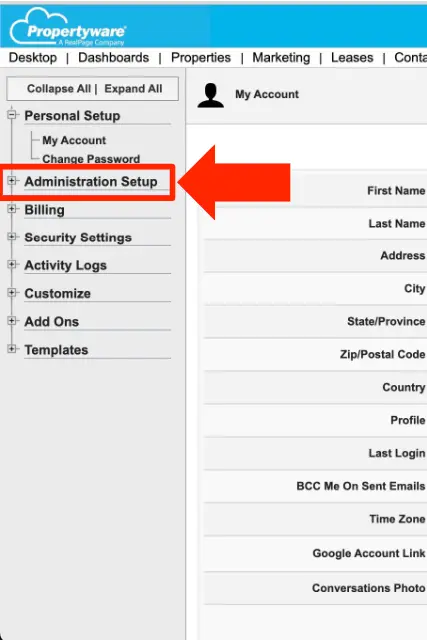
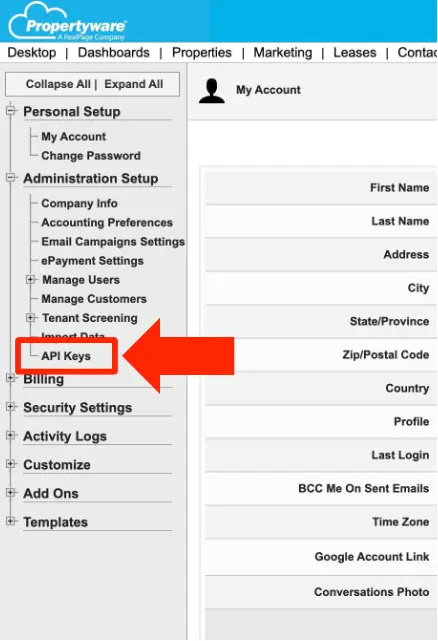
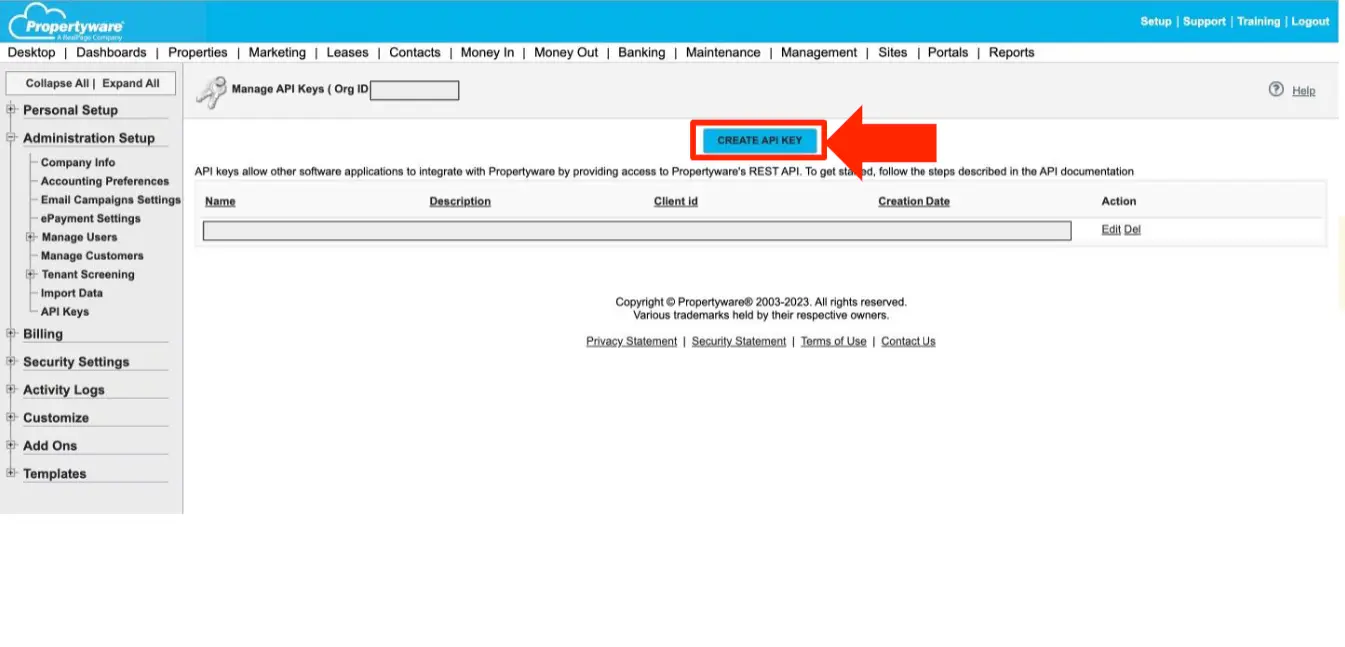
Go to Setup → Administration → API Keys (naming may vary slightly by account).
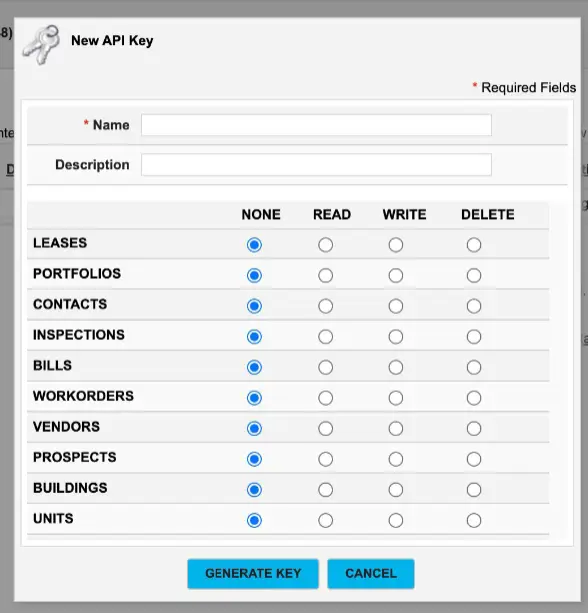
Create a new API key named RentBamboo.
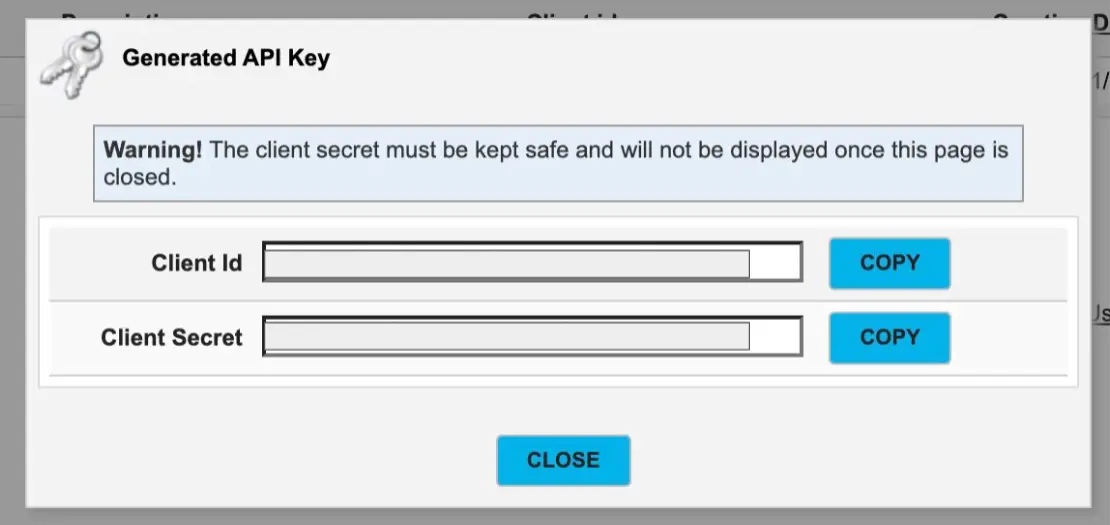
Copy the API Key and Organization/System ID — you'll enter these in RentBamboo in the next step.
Keep these credentials private. They provide access to your Propertyware data.
Log in to RentBamboo.
Go to Settings → Integrations → Propertyware.
Enter your Client ID, Client Secret and Organization ID from Step 2.
Click Connect. RentBamboo will verify the connection and pull in your portfolios, properties, and units within a few minutes.
Once connected, select which portfolios and properties you want RentBamboo to automate. New prospects from those properties will sync to RentBamboo automatically, and Jake will begin responding to inquiries in real time.
To prevent renters from receiving duplicate responses:
In Propertyware, review any automated prospect response emails or follow-up templates.
Turn these off for the properties RentBamboo manages.
RentBamboo will handle all lead follow-up automatically.
