We’ll now need to configure your follow up settings to ensure RentBamboo is following up based on your preferences.
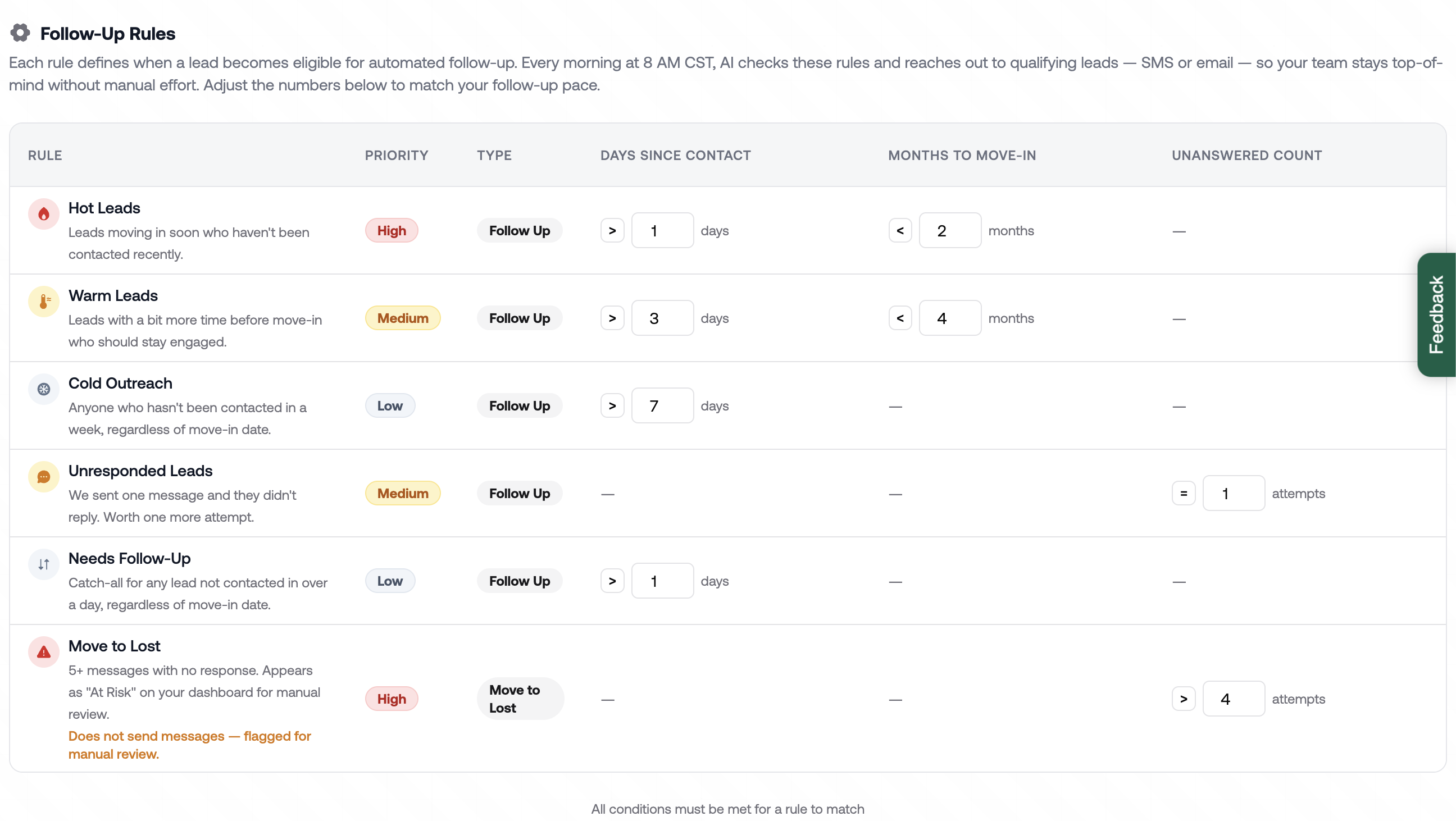
Here you’ll see your follow up settings. While we do preload a default Follow up configuration, you can edit to match your leasing process. Such as moving leads to lost after a certain amount of contacts.
You can see all leads you need a follow up in your sales center by using the filters. Based on your settings, all eligible leads needing a Follow up will be displayed here.

