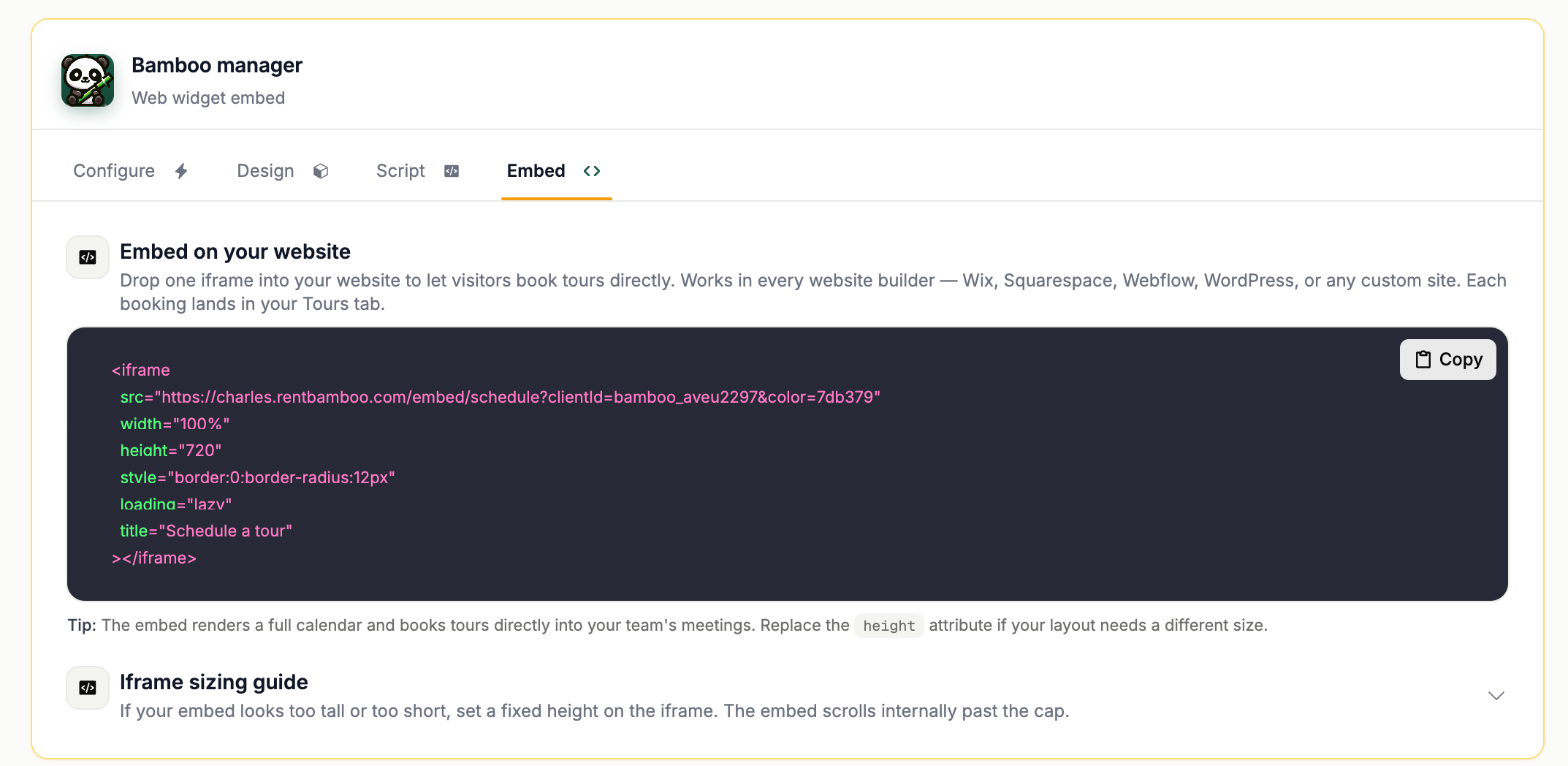

This is an optional feature and not required.
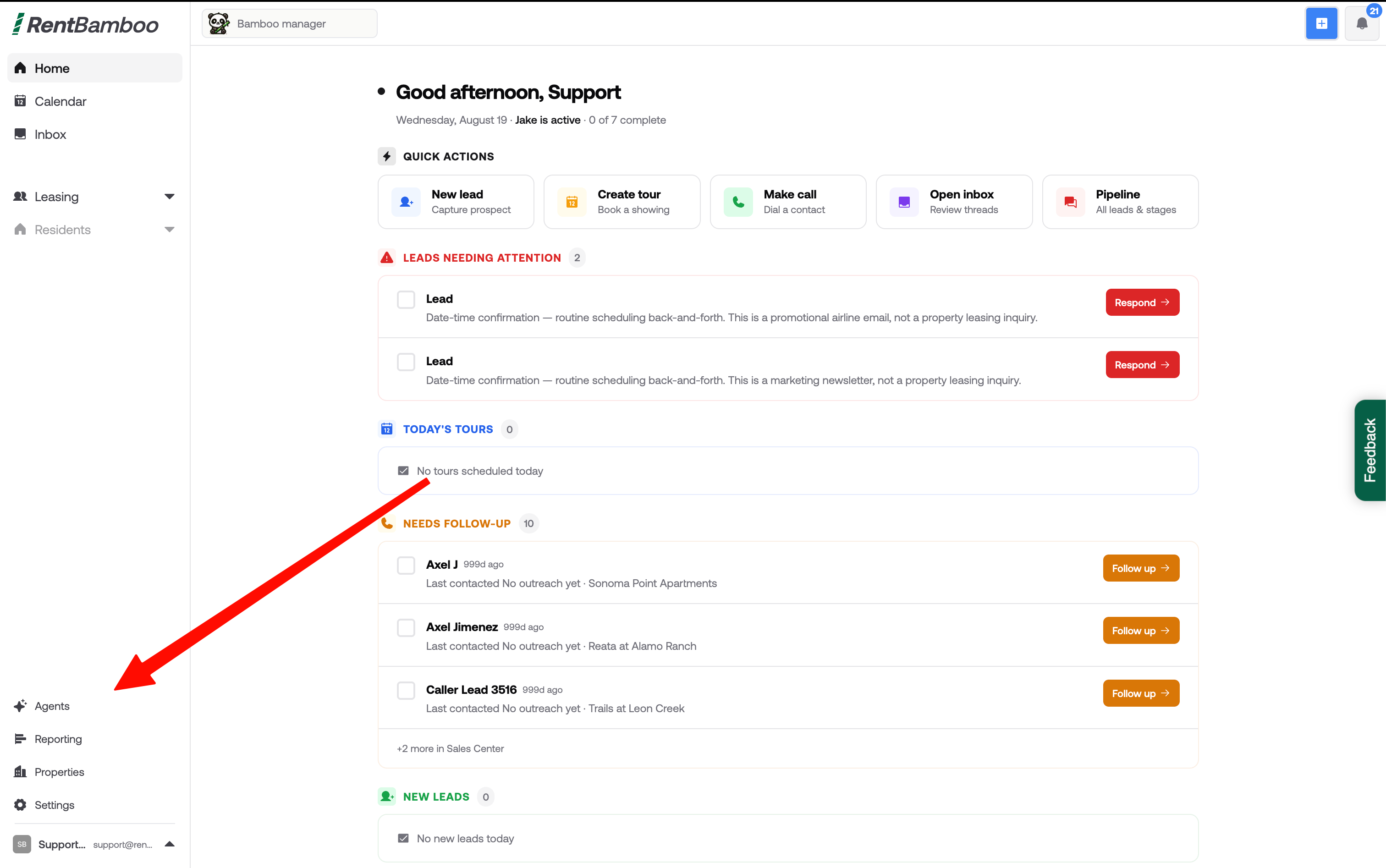
Step 1: Head to the Agents Page
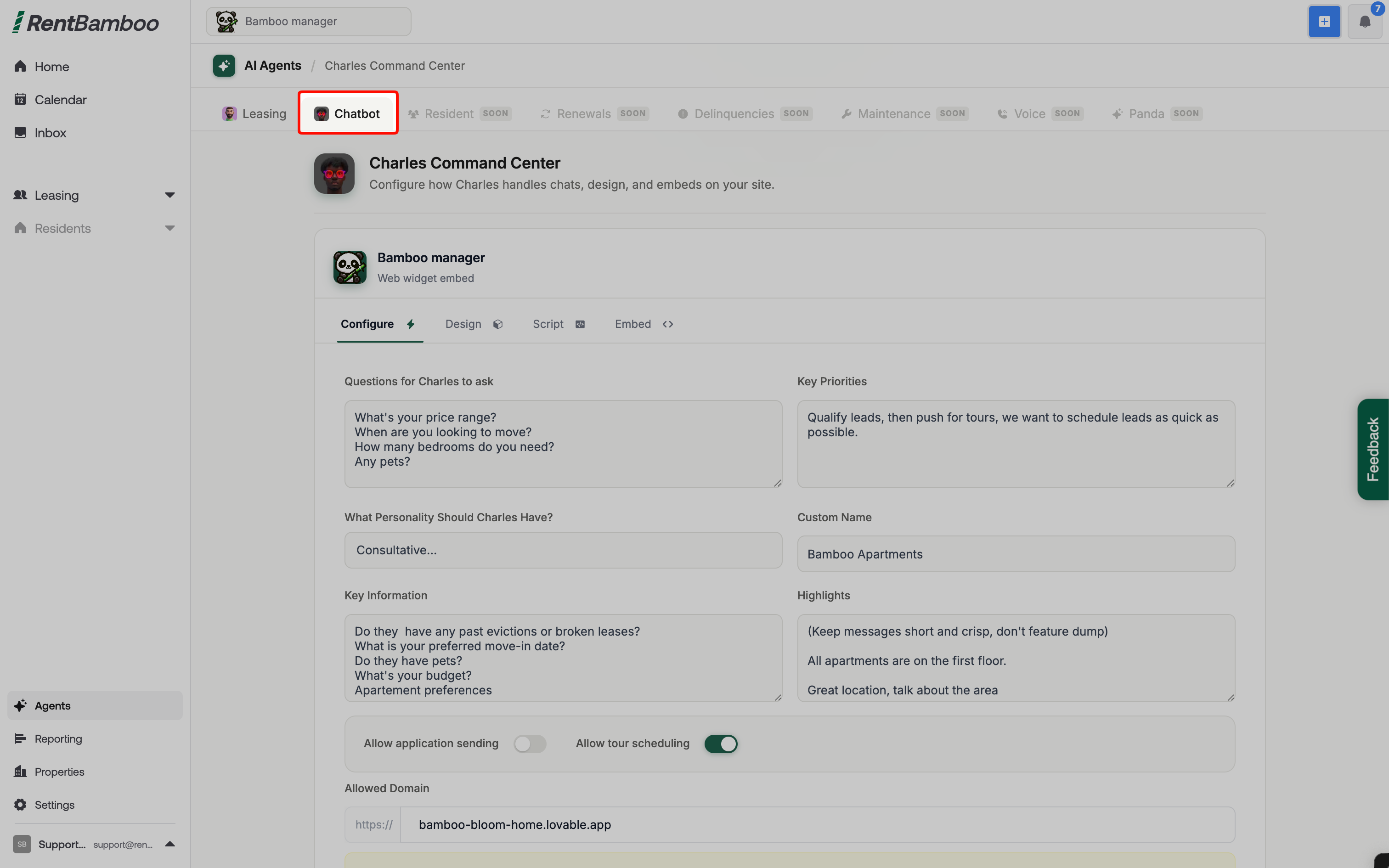
Step 2: Navigate to the Chatbot
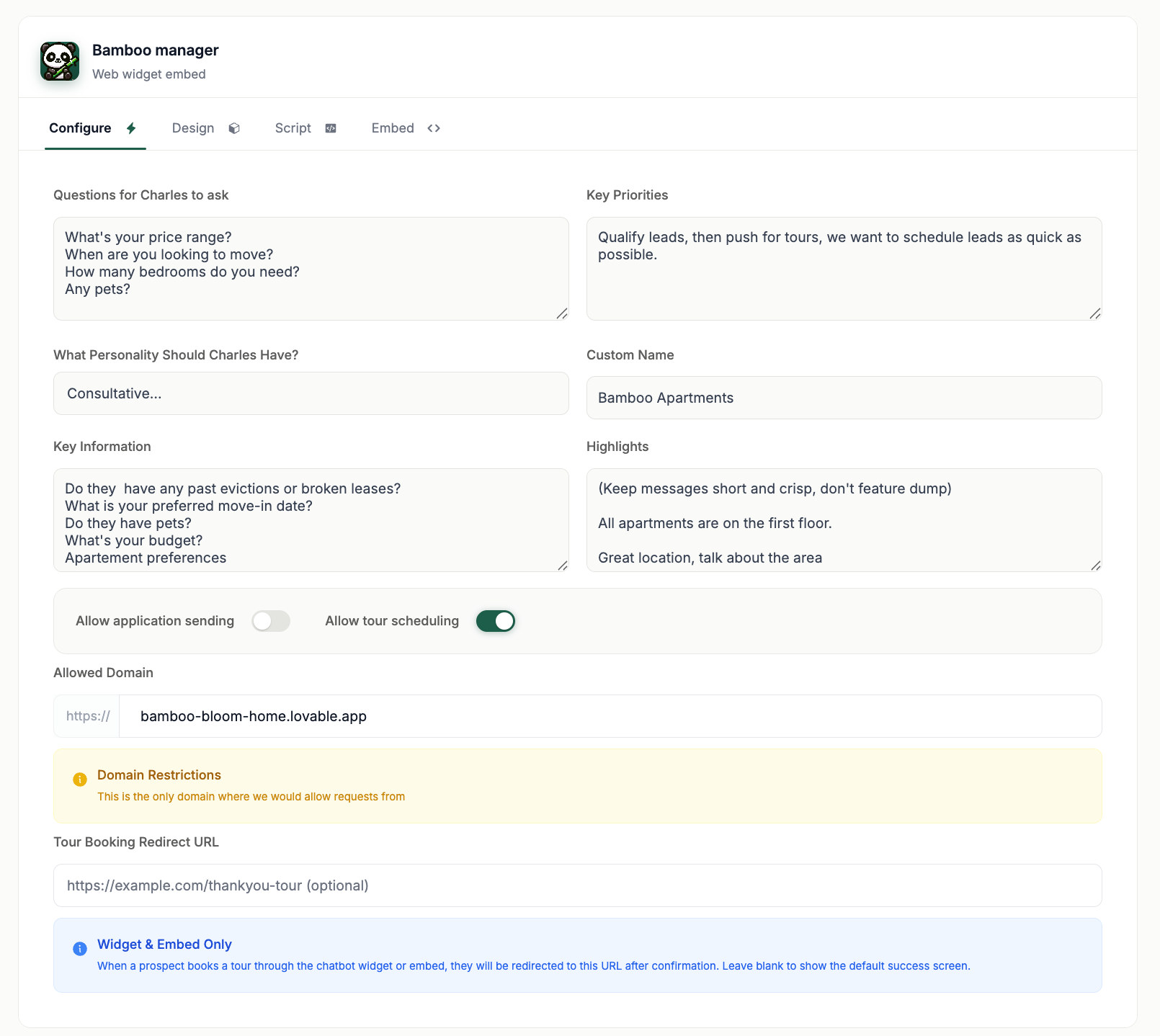
Step 3: Enter basic training (Ensure your domain is inputted first)
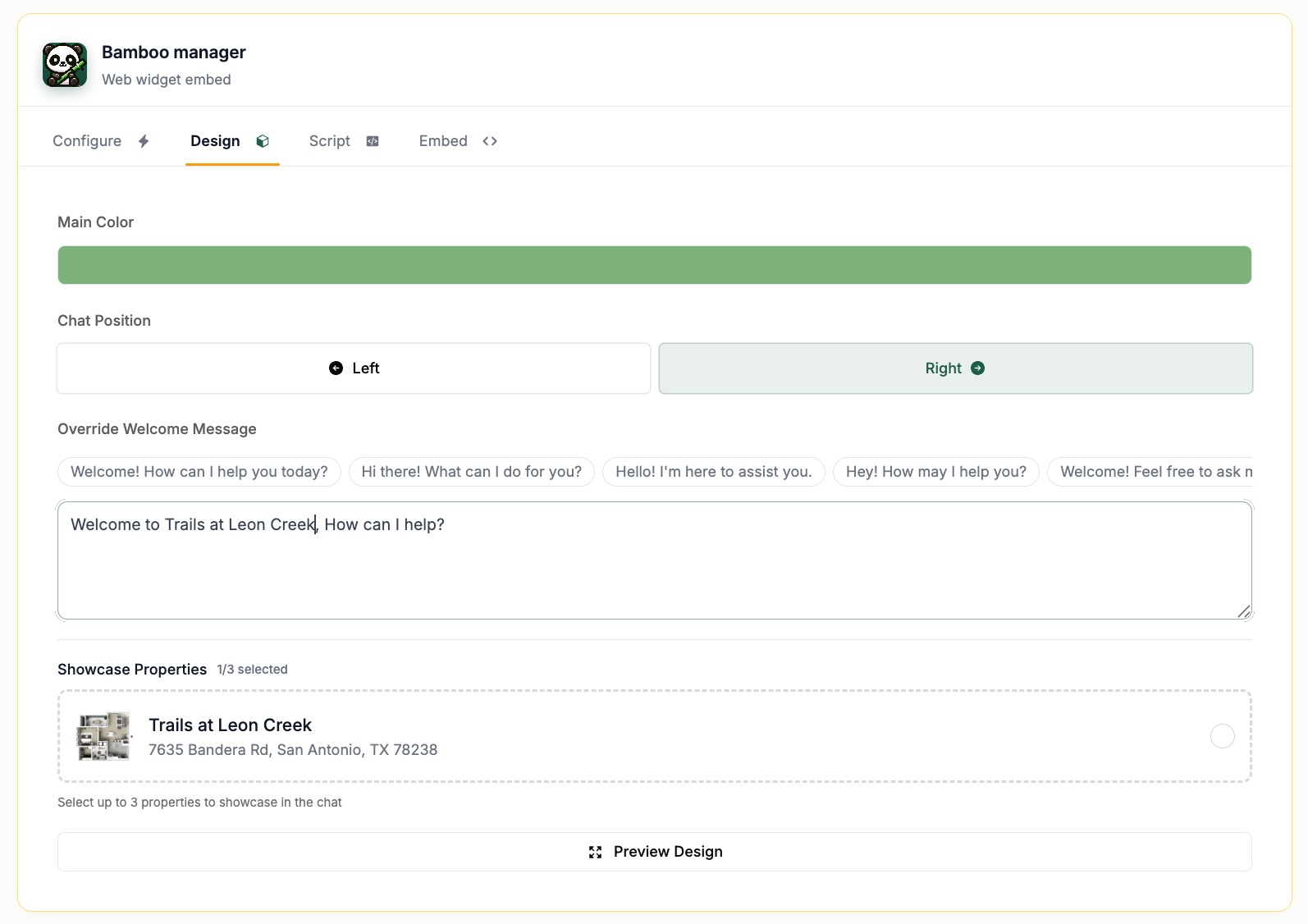
Step 4: Design the Chatbot
From here, you can highlight properties, change the color, position and more!
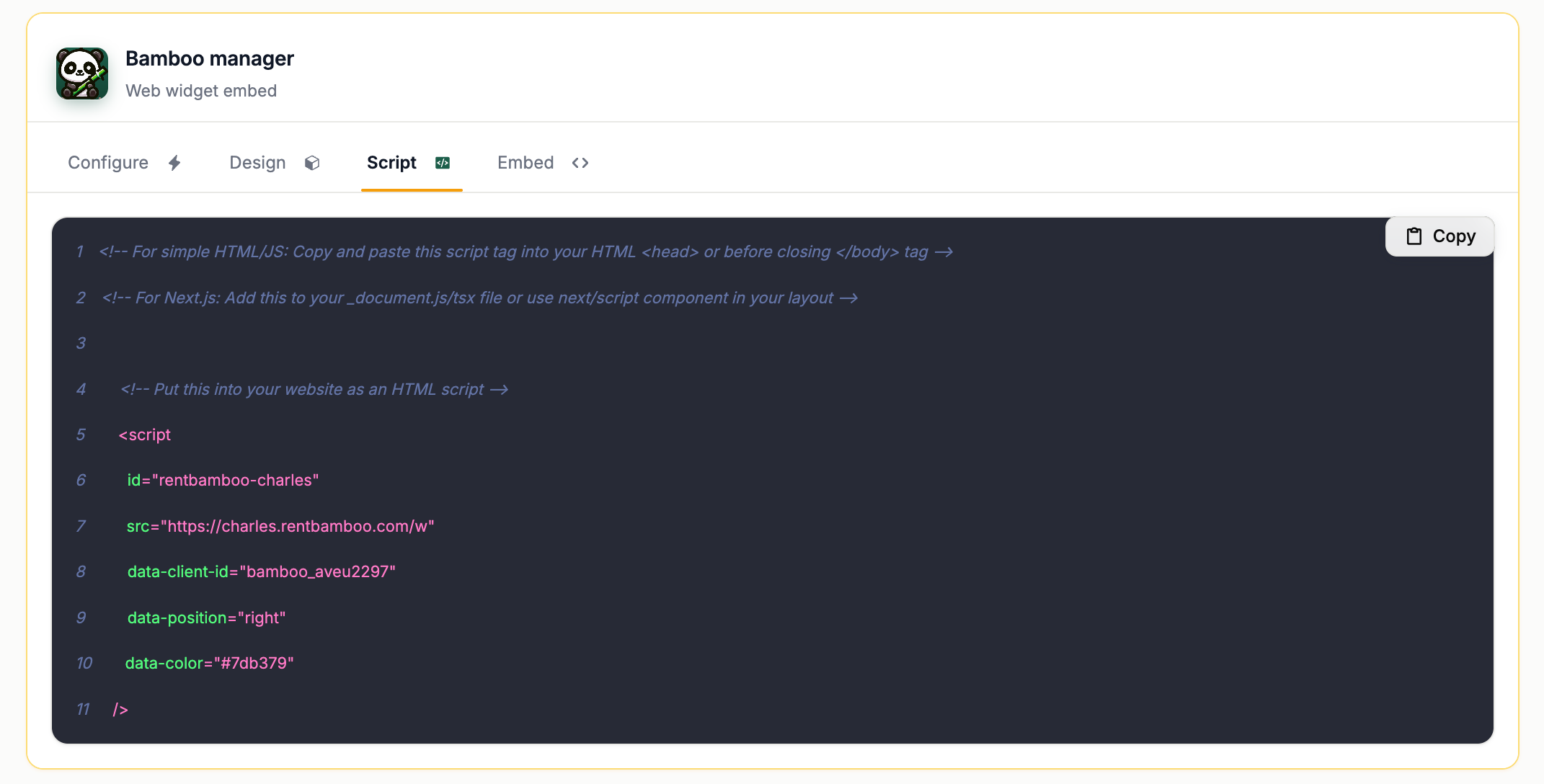
Step 5: Implement the Widget
Share the script with your website provider or IT team to install the chatbot. Reach out to [email protected] for directions for websites hosted by other companies.
Optional: Tour Widget embedded in website
RentBamboo can install a tour page directly on your website by following the directions below. We automatically sync in your website font!
You’ll choose the scripts below and send it to your IT team or who host your website.
This embeds your teams calendar directly on your website so prospects can easily schedule tours.