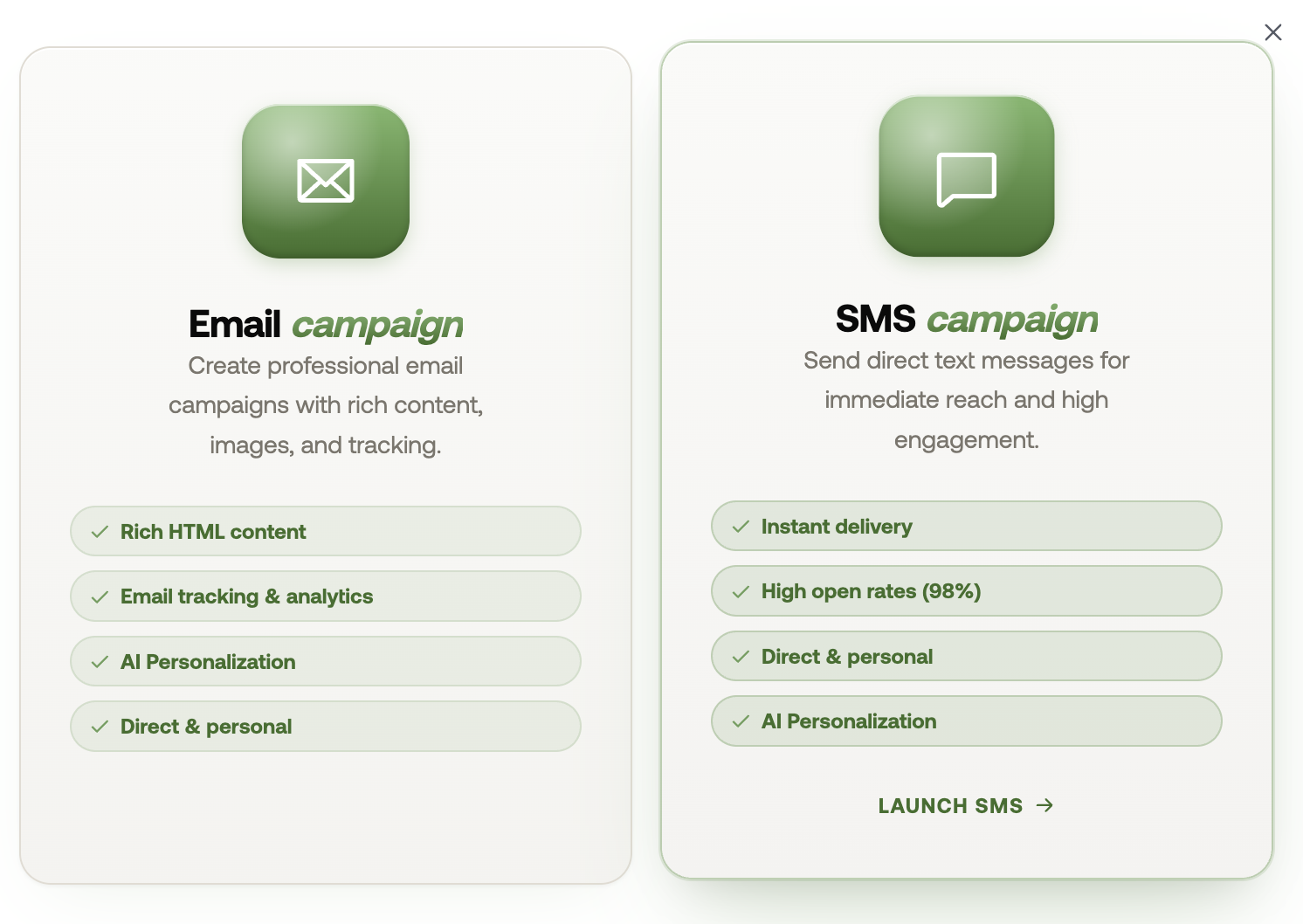
Go to the Bulk Marketing page and click Create Campaign.
Here, you can choose between an Email or SMS campaign.
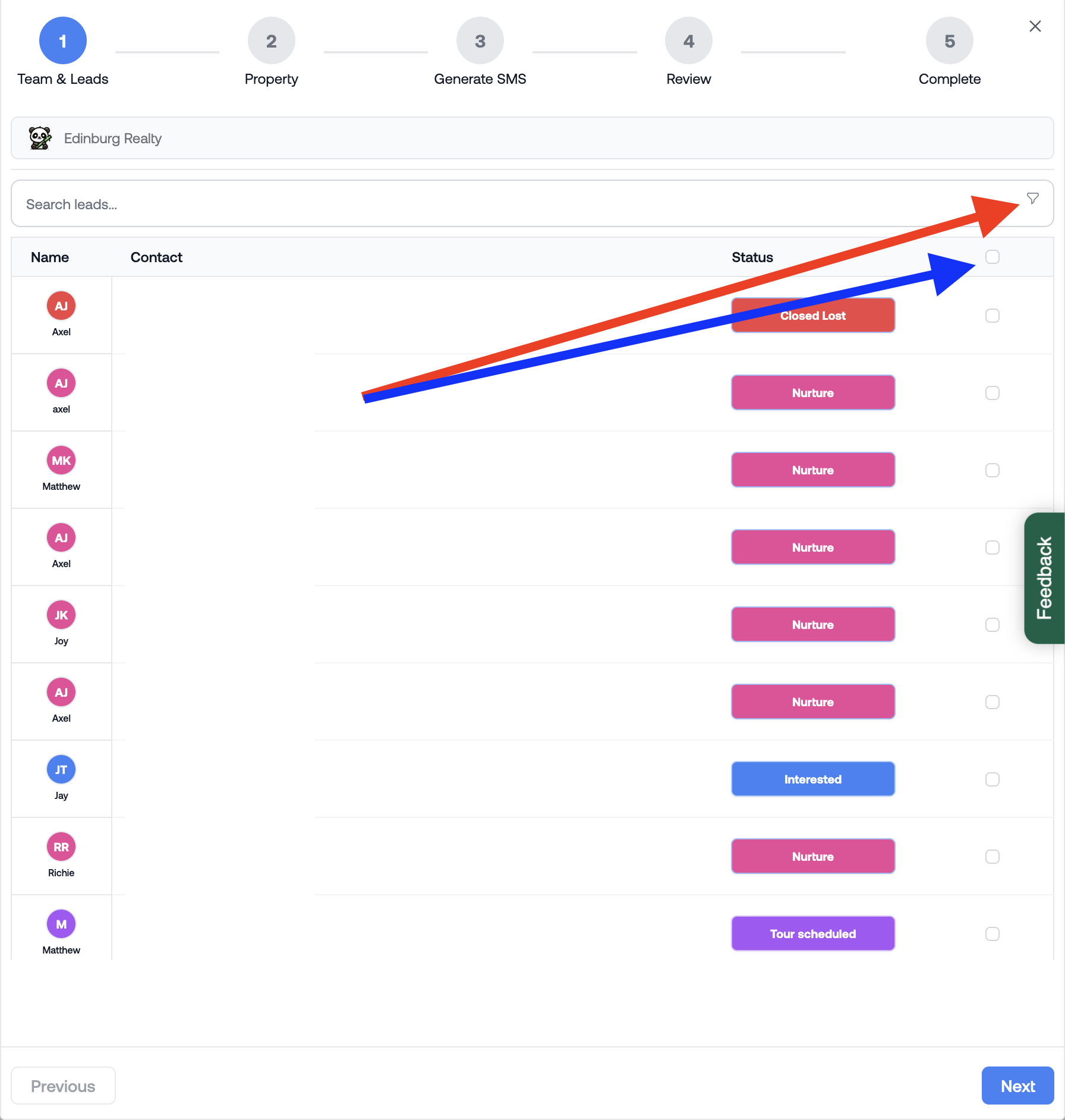
Use the filter icon to filter prospects by stage. Then, select the checkbox at the top to select all prospects.
RentBamboo will automatically exclude prospects who don't have an email address or phone number, depending on the communication channel you choose.
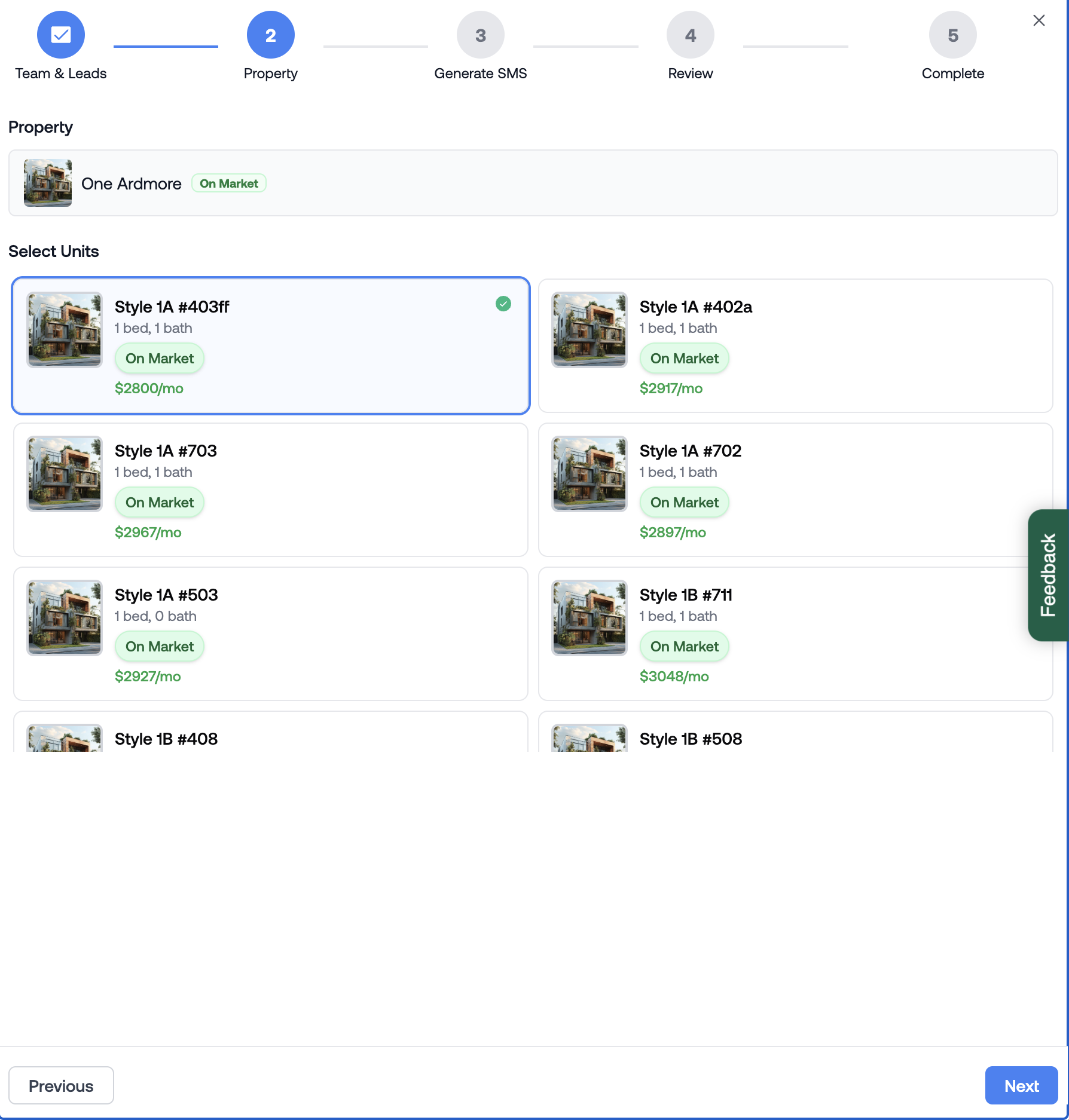
Select the property and unit that the campaign applies to.
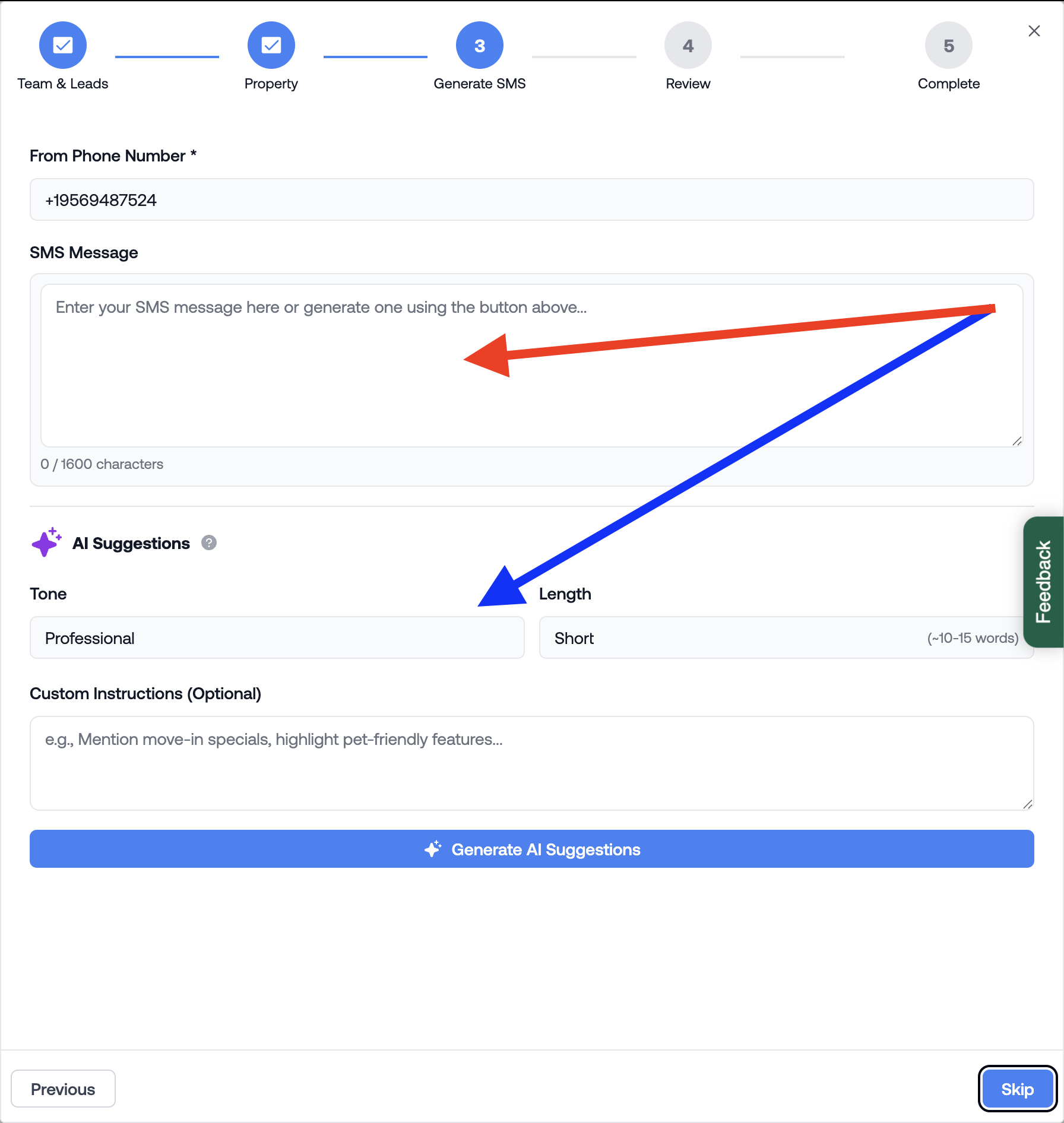
Type your message directly in the input box or use the AI Suggestions section to help draft your email or text message.