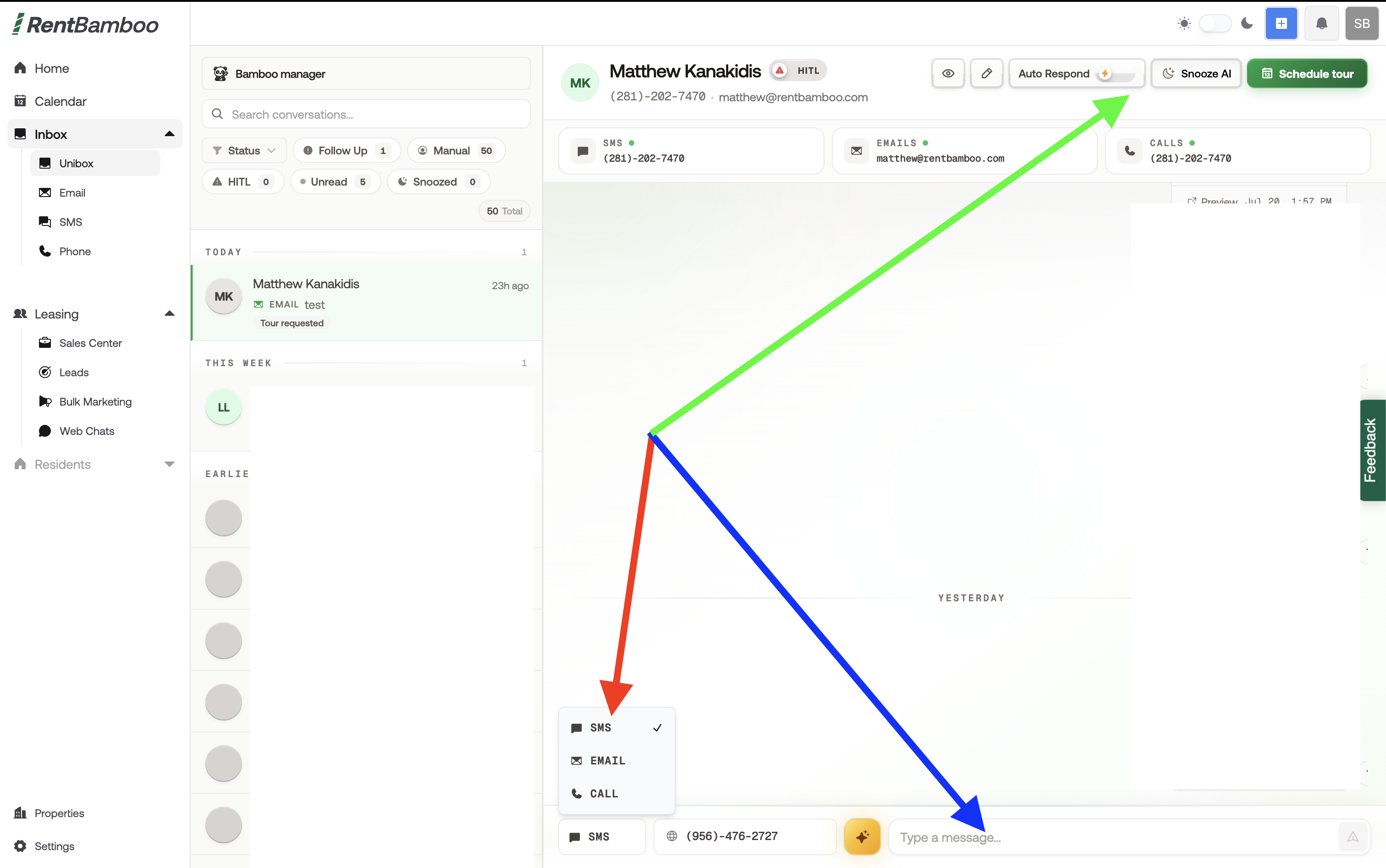
While you can message prospects directly from your dashboard, we’ll start by navigating to the Inbox.
From the side menu, open the Inbox to view all prospects you’re communicating with.
The Inbox is your main inbox and centralizes all prospect messages in one place. From here, you can filter prospects and message them directly.
Be sure to monitor your Inbox for incoming prospect messages. You can also see incoming messages in the Recent Activity section of your dashboard.
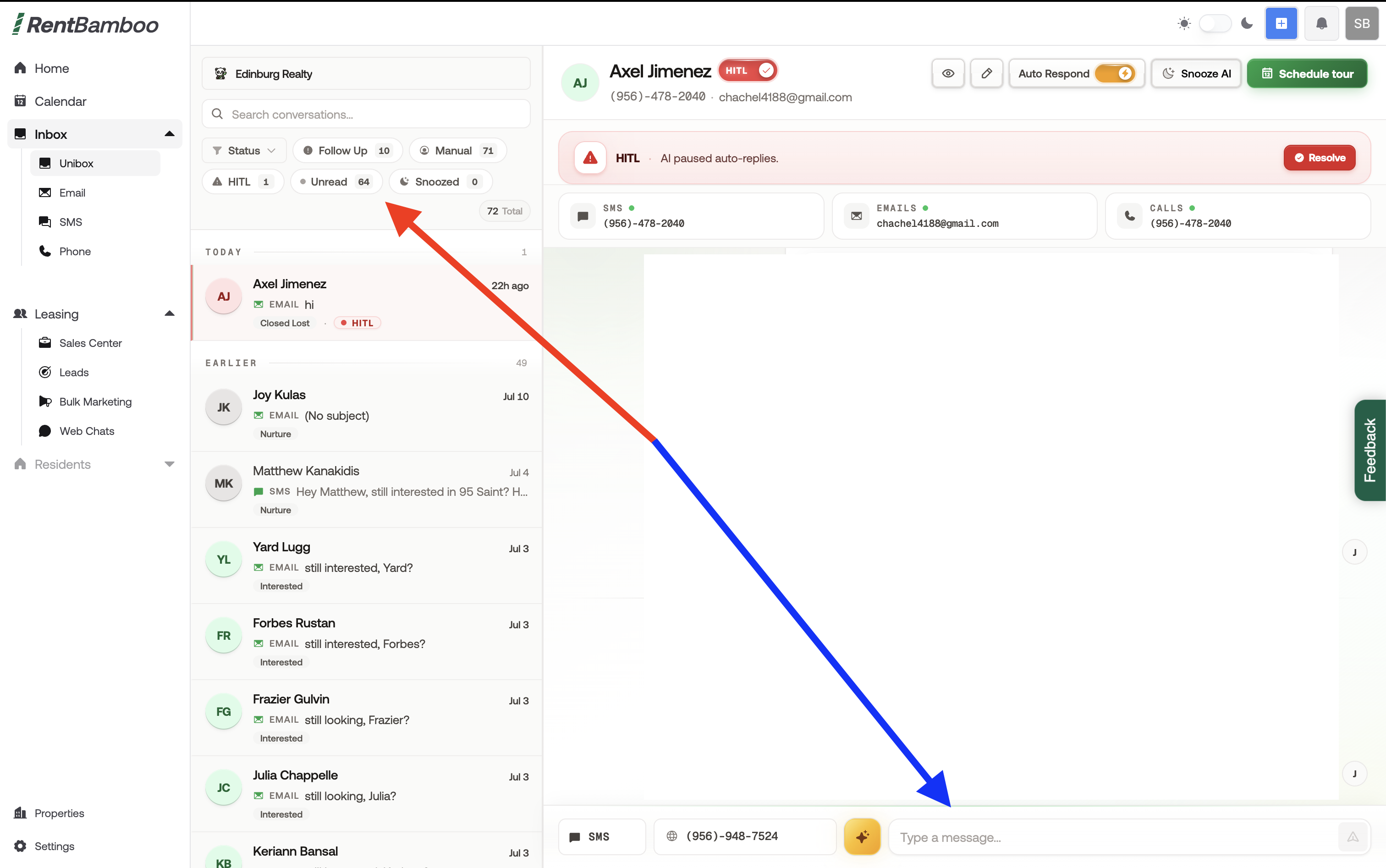
In the Inbox, you can:
Turn the AI on or off
Snooze the AI
Resolve HITL messages
Get AI message suggestions
And more
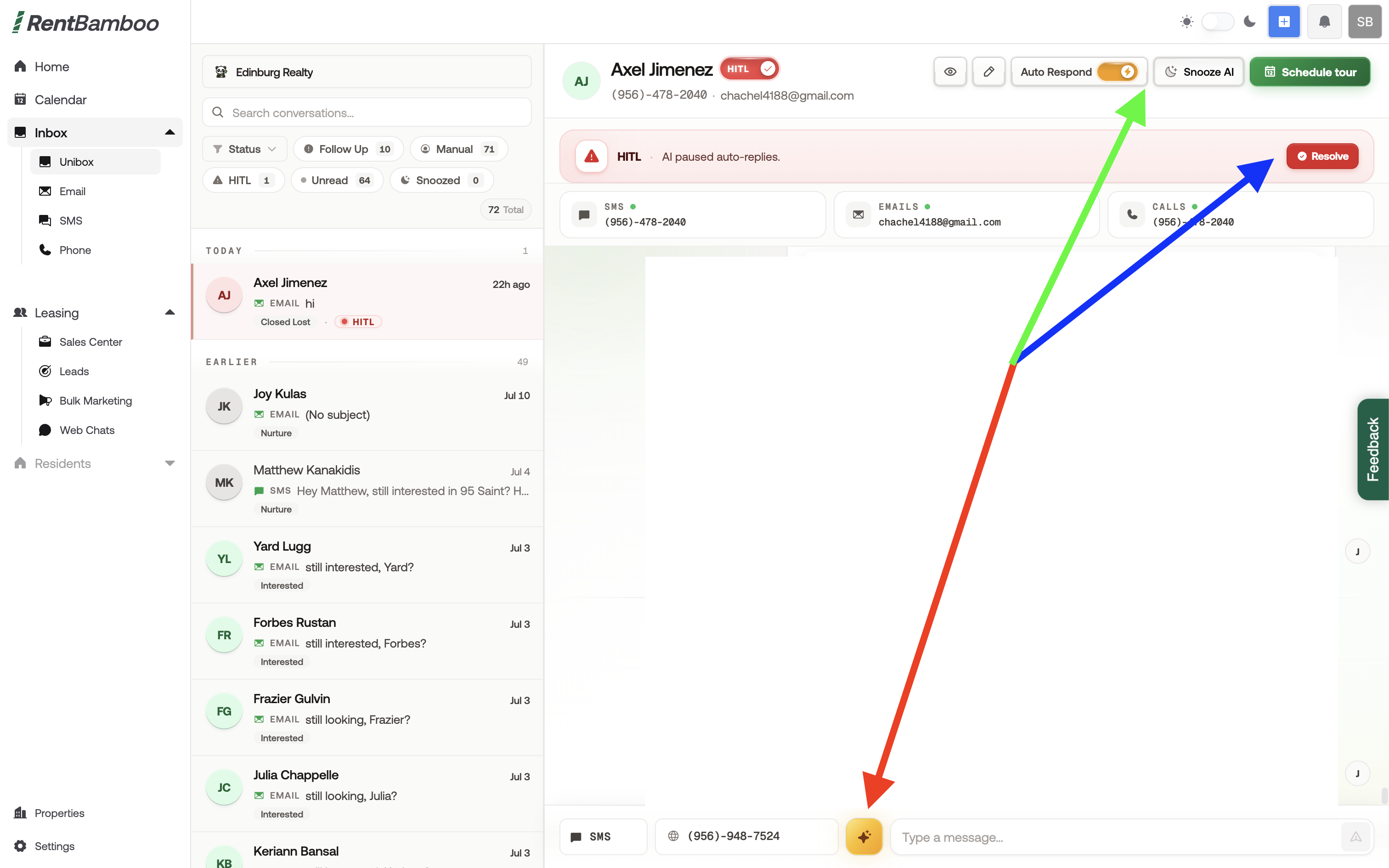
When messaging a prospect, you can:
Choose the communication channel you want to use
Turn the AI on or off
Type and send your message directly in the Inbox chat