In your sales center, click the “HITL” filter to view all leads needing your attention.
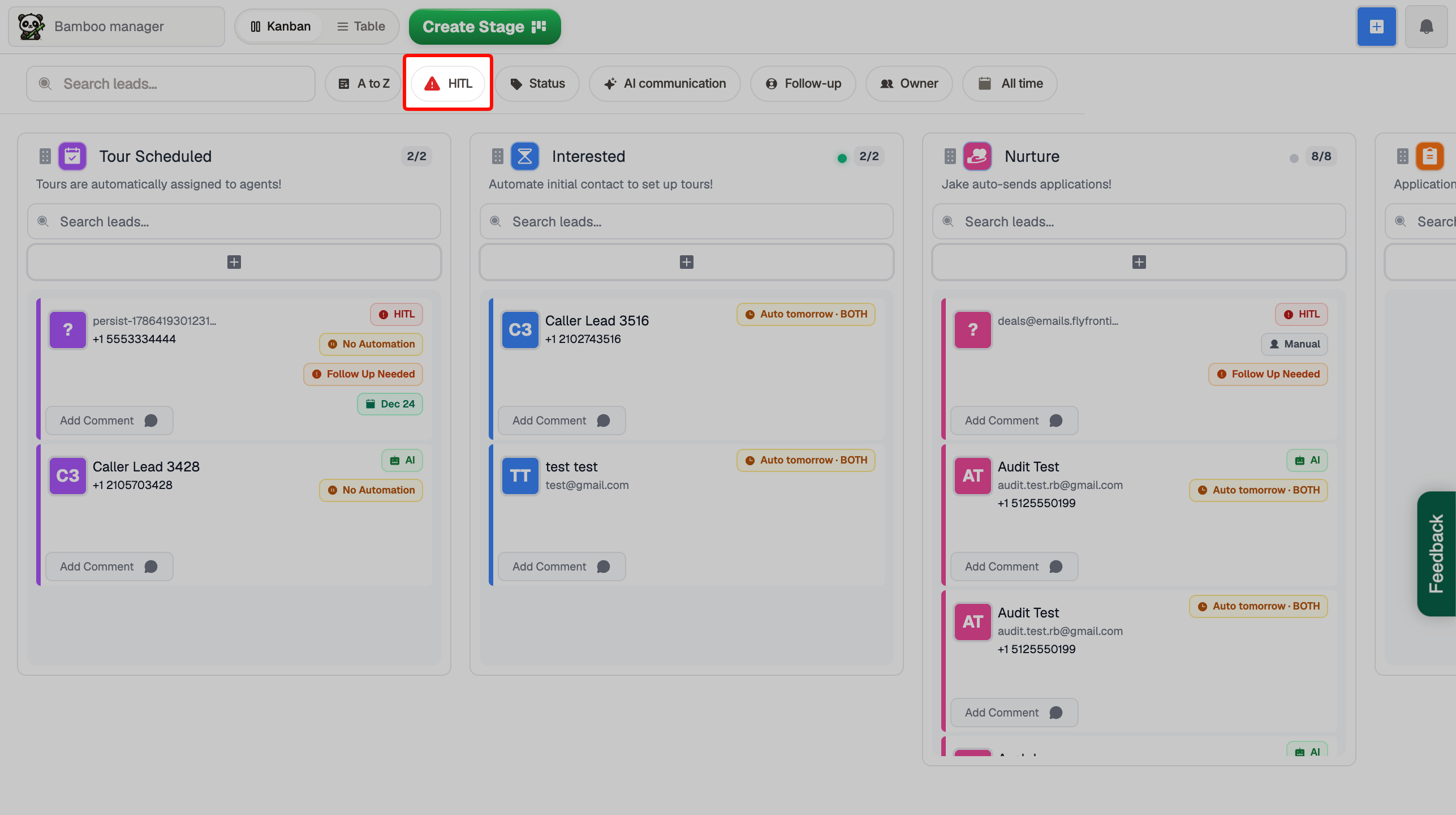
By clicking the HITL filter you’ll see all leads needing your attention, select a lead. You should see the “Human In The Loop” banner at the top of the lead card.
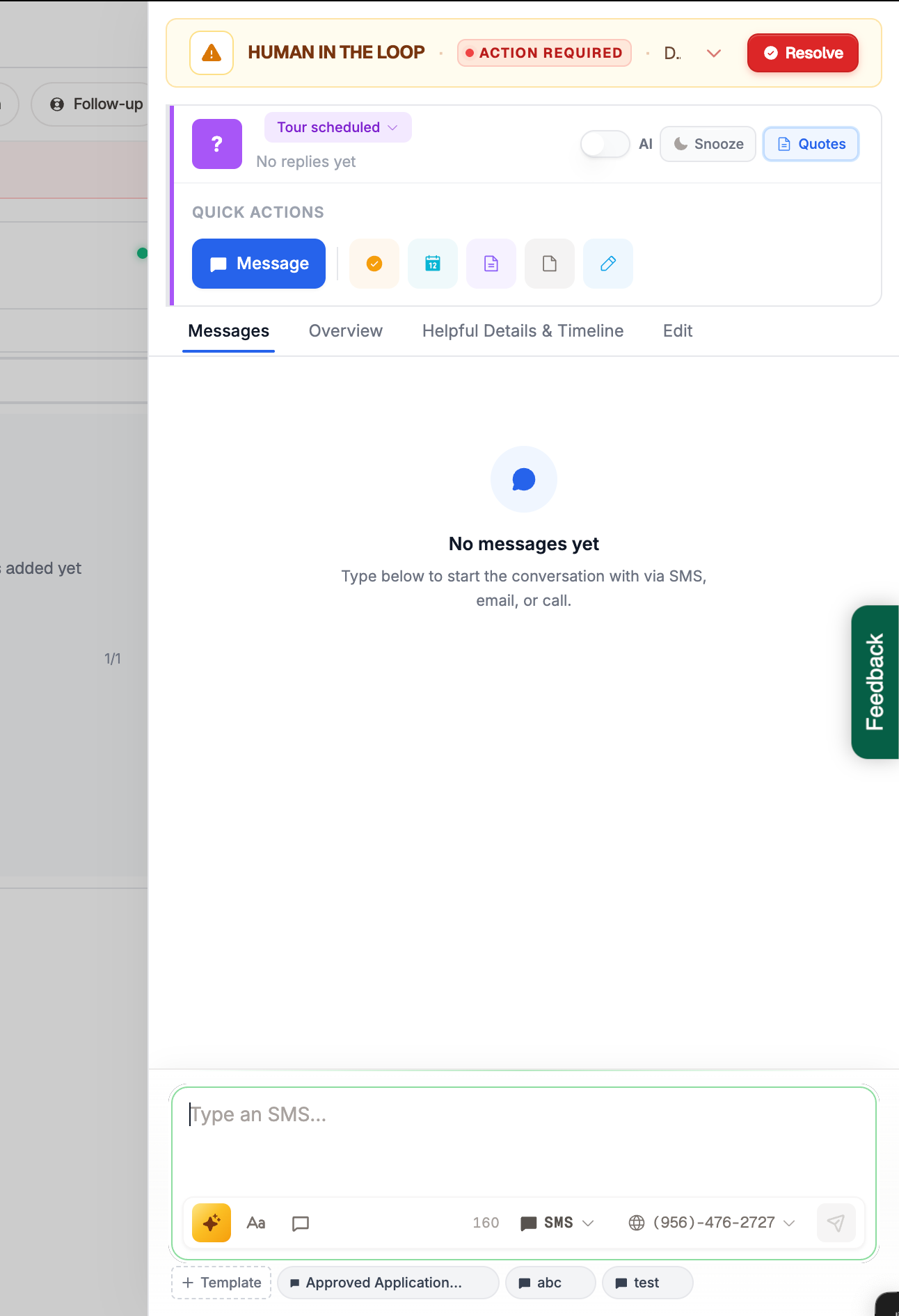
By clicking on the prospect’s lead card, you can see the message that triggered the HITL notification. If you believe the AI can answer the question, click Resolve.
We usually recommend that teams manually respond to HITL messages. Send your response first, then click Resolve so the AI can resume following up with the prospect.
