What is Panda Copilot?
Panda Copilot is your team’s AI assistant for RentBamboo.
Think of Panda as an expert on your leasing data and RentBamboo. You can ask questions, analyze performance, find prospects, and get help with day to day leasing operations, without digging through your system manually.
For example, you can ask Panda to:
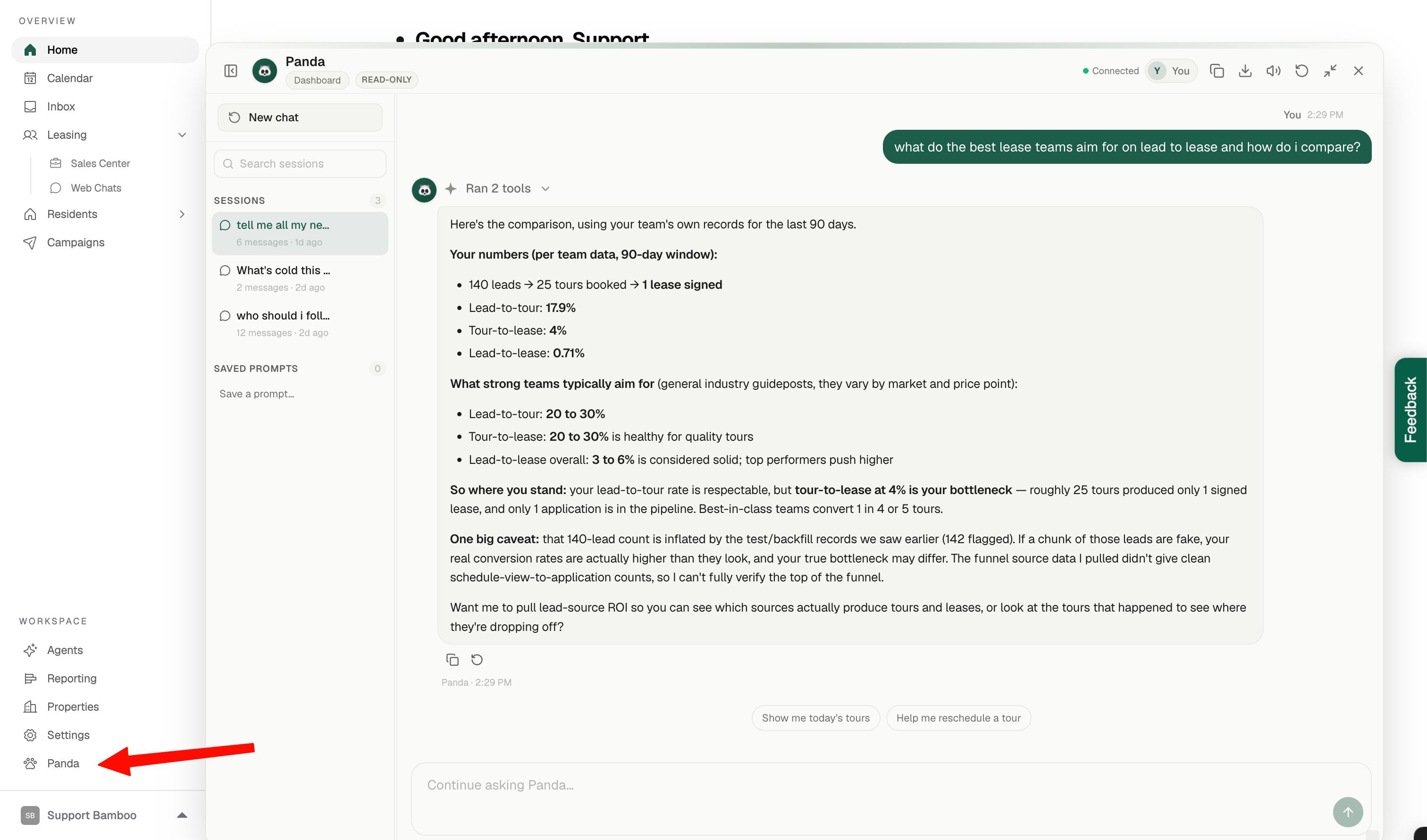
Compare your leasing performance to industry benchmarks
Find prospects who haven’t been contacted in a certain number of days
Identify follow-ups that need attention
Analyze leasing metrics and trends
Answer questions about your RentBamboo data
Help with just about anything related to leasing
The more context and instructions you give Panda, the more useful it becomes for your team.
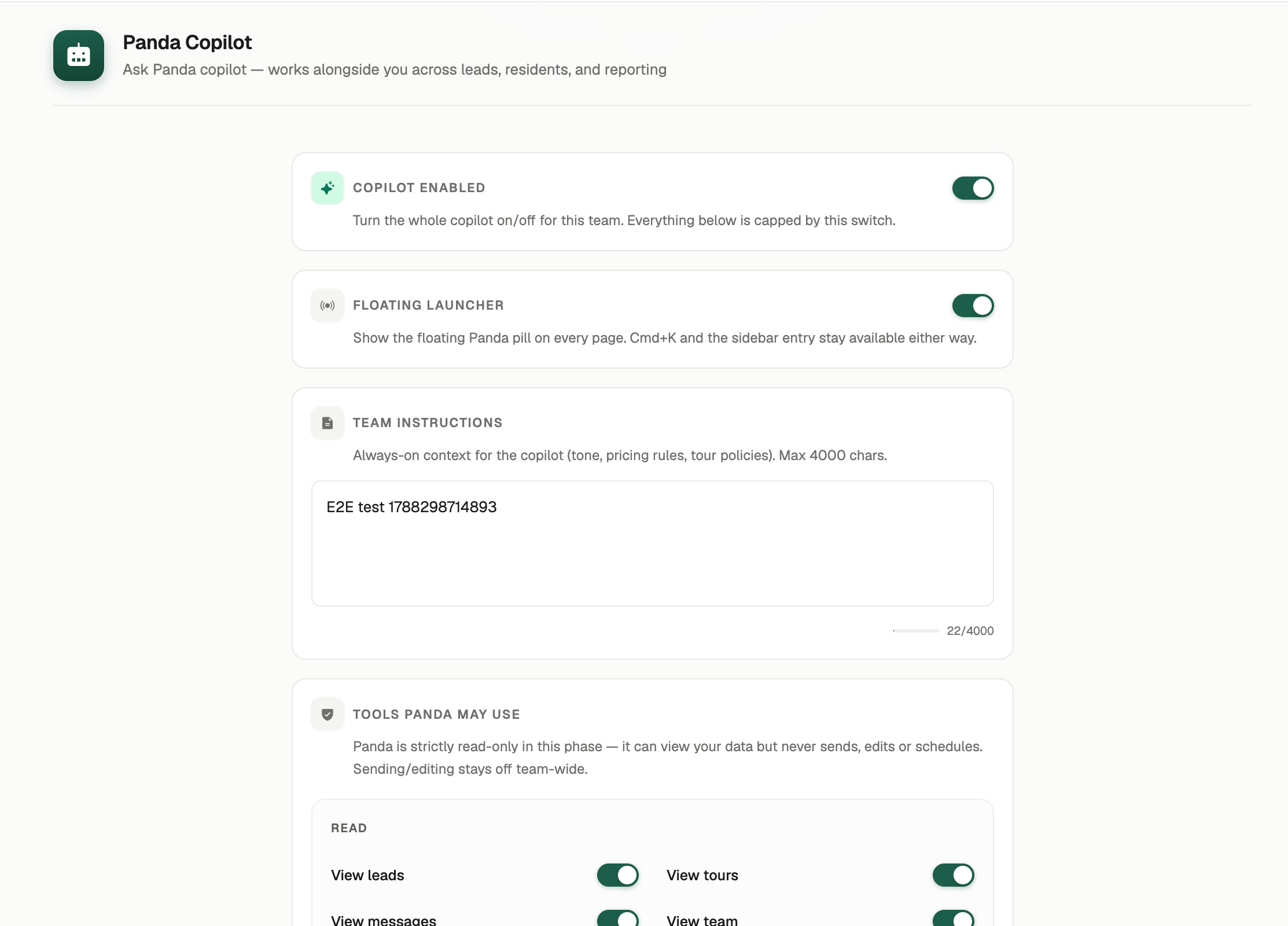
Training Panda Copilot
You can customize Panda to better understand your team, your processes, and how you want it to work.
Go to Agents in the side menu.
Select Panda Copilot.
Add instructions and additional context for Panda.
Choose how you want Panda Copilot to appear throughout RentBamboo.
This is where you can teach Panda about your team's processes, preferences, and anything else it should know when helping your team.
Accessing Panda Copilot
You can access Panda Copilot anytime from the side menu.
You can also open Panda instantly using ⌘ + K from anywhere in RentBamboo.
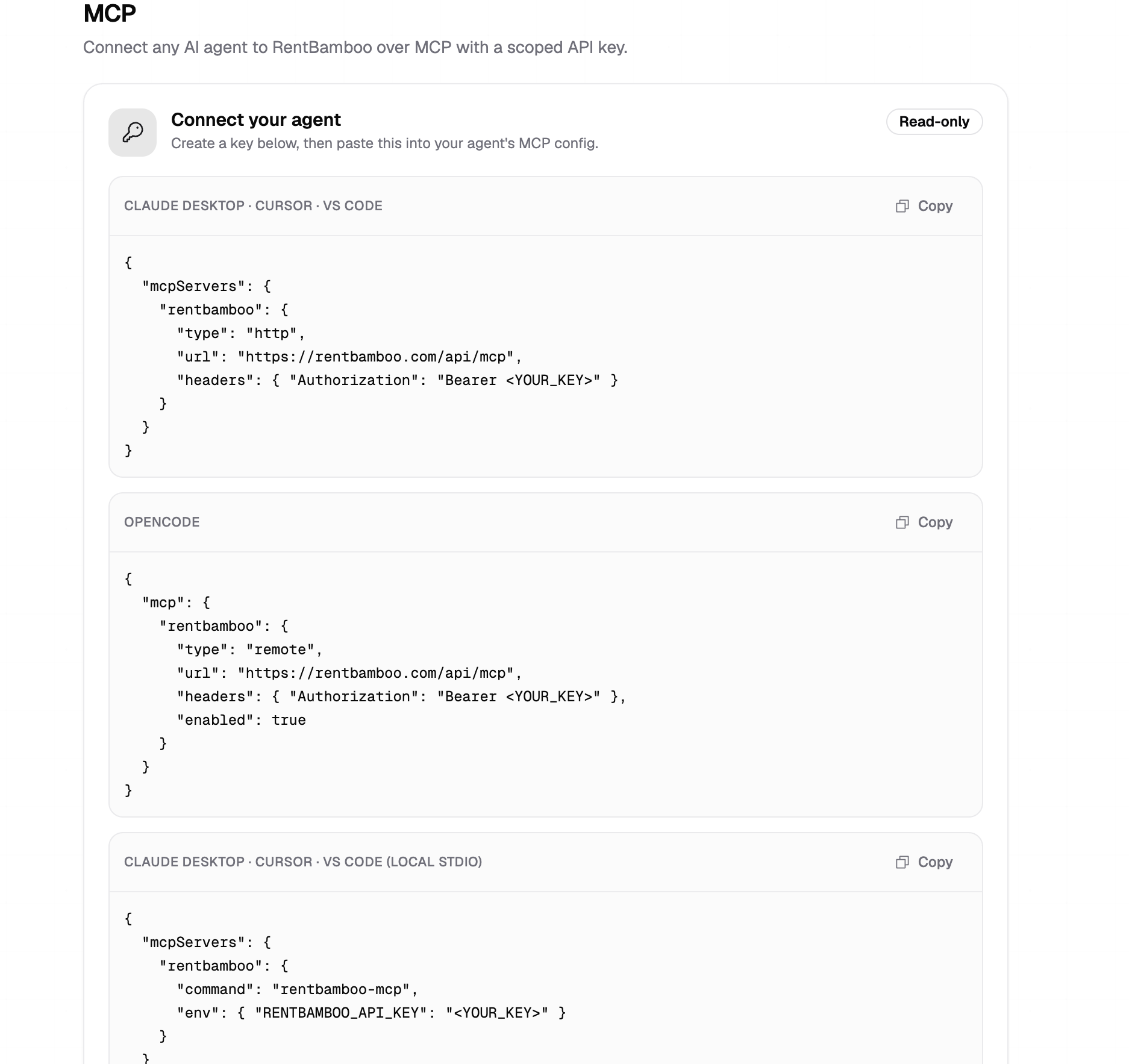
Connecting RentBamboo to Your AI (MCP Server)
You can also connect RentBamboo directly to the AI tools your team already uses through MCP.
Go to Settings → MCP to create an API key and connect RentBamboo to supported AI tools such as Claude, ChatGPT, Grok, and other MCP compatible agents.
Once connected, your team can ask questions about RentBamboo data directly from their preferred AI tool, without having to switch back and forth between applications.
For example, your team could ask their AI:
“Show me all prospects that haven't been contacted in the last 3 days.”
The AI can then access the relevant RentBamboo data and return the results.