
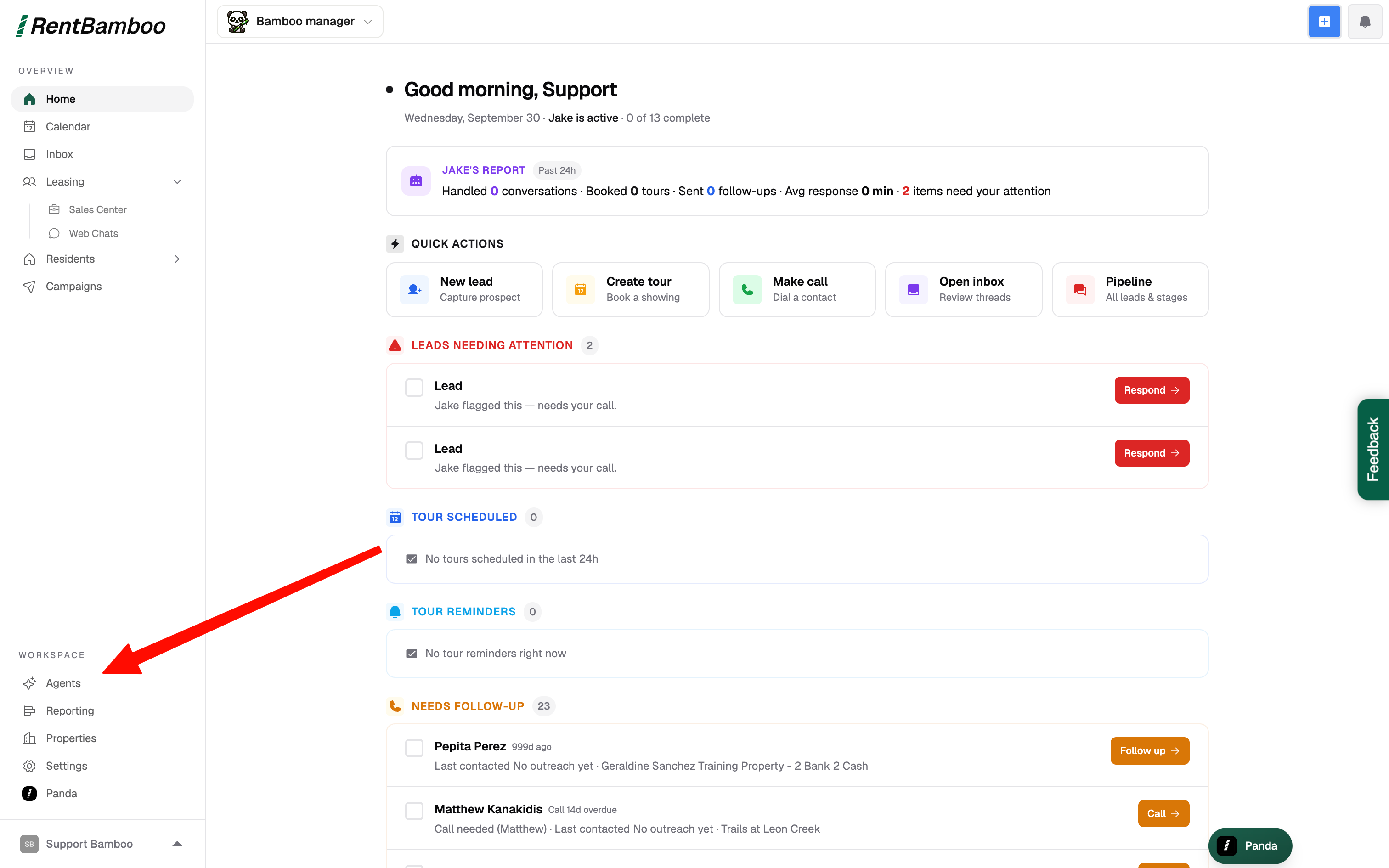
Head to the agents page
Navigate to the “Voice” agent
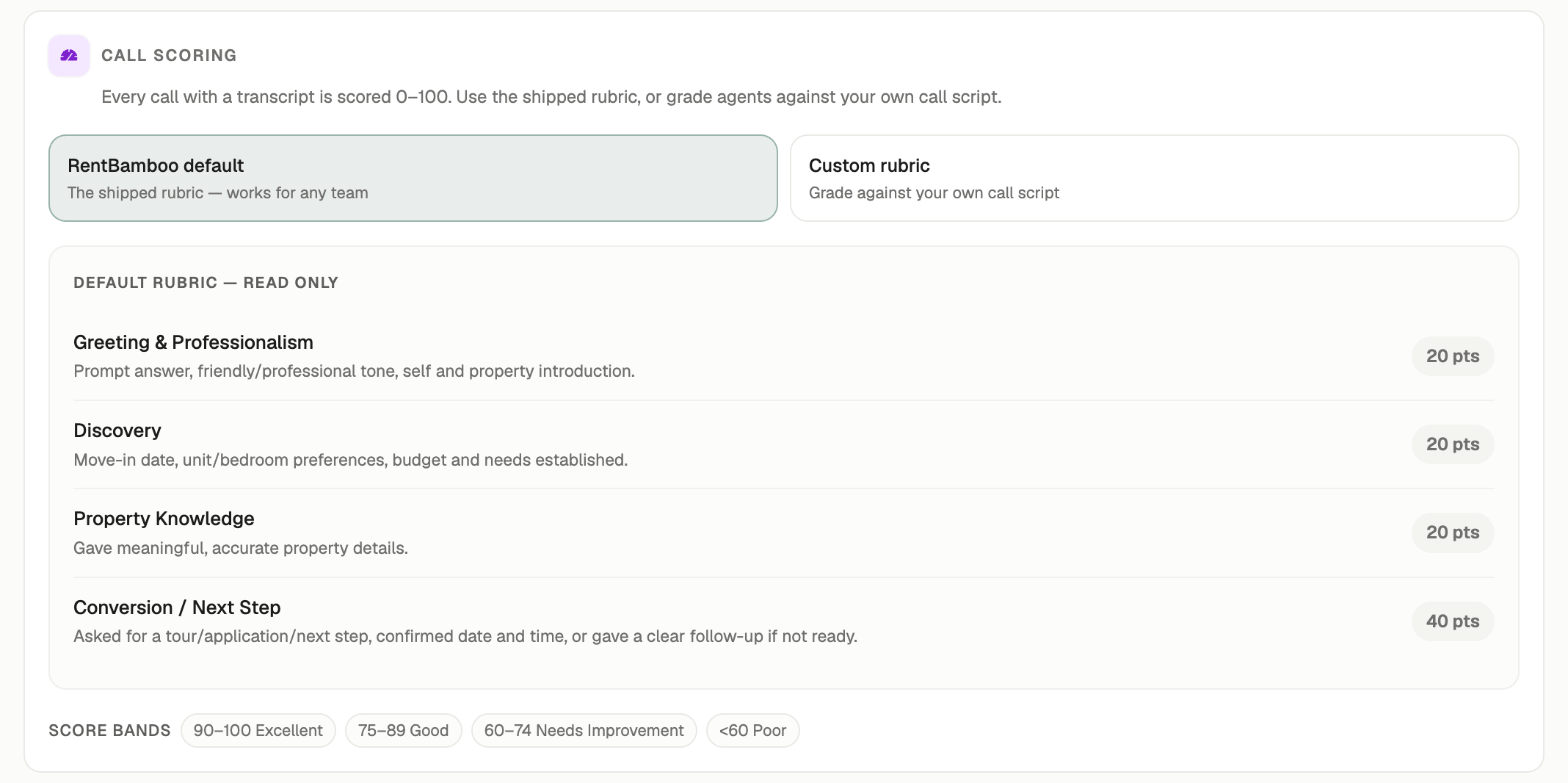
Choose between the default scoring system or create your own
Configuring Custom Scoring Rubrics
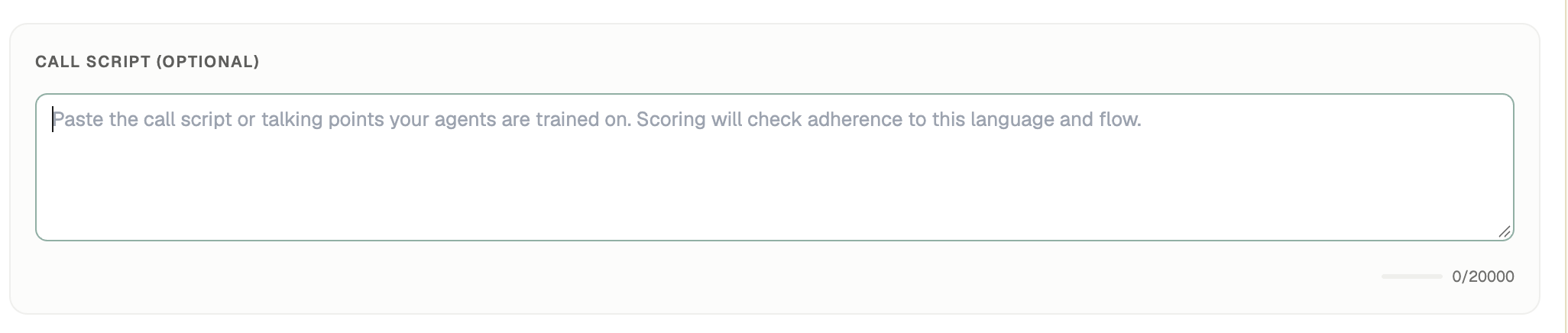
Step 1: Set up your talking points
Here paste the full call script or the talking points you want your team to discuss. For example, “greet the prospect, answer any questions, push them to the next step”
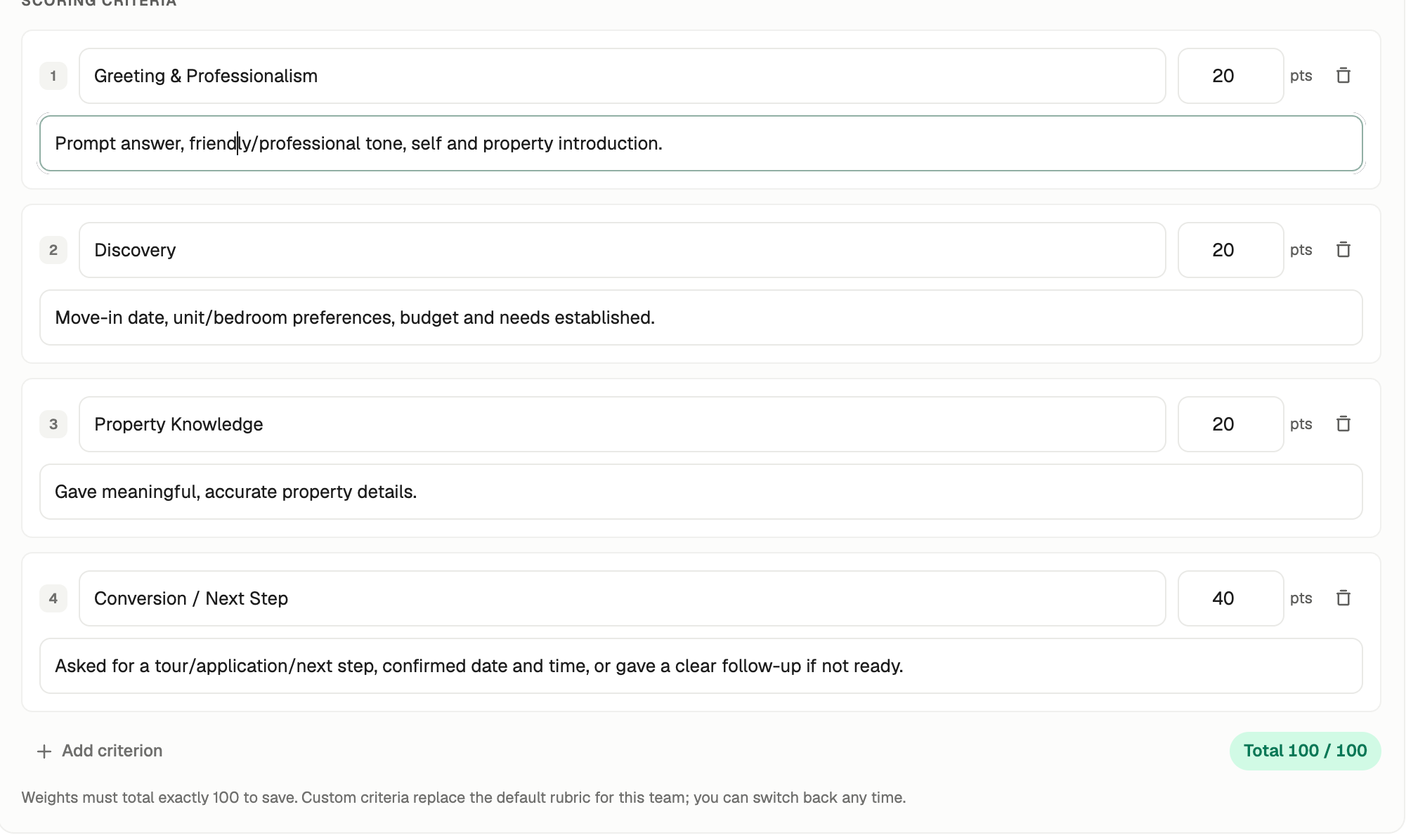
Step 2: Enter how you want the call scoring to be configured
You can enter topics and descriptions, then how many points each criteria should be.
1. Navigate to the Voice Agent
From the Agents page, select the Voice agent.
2. Choose Your Scoring System
You can either use RentBamboo’s default scoring system or create a custom scoring rubric.
3. Configure Custom Scoring
If you choose to create a custom scoring rubric, you’ll configure two things:
Step 1: Add Your Talking Points
Enter the call script, talking points, or behaviors you want your team to follow.
For example:
Greet the prospect, answer their questions, and move them toward the next step.
Step 2: Configure Your Scoring Criteria
Add the topics or behaviors you want the call to be scored on. For each criterion, enter:
Topic — What you want to evaluate
Description — What the agent should do or demonstrate
Points — How much the criterion should contribute to the overall score
For example:
Topic: Next-Step Commitment
Description: Agent clearly moves the prospect toward scheduling a tour or completing an application.
Points: 20
Once your criteria are configured, RentBamboo will use the rubric to evaluate calls against the standards you defined.