
What Are Office Hours?
Office hours give RentBamboo's AI context about when your team is available and when your office is open. This allows the AI to provide accurate information to prospects and residents when asked about your business hours.

Where Can I Set Up or Edit Office Hours?
Follow these steps to configure your office hours:
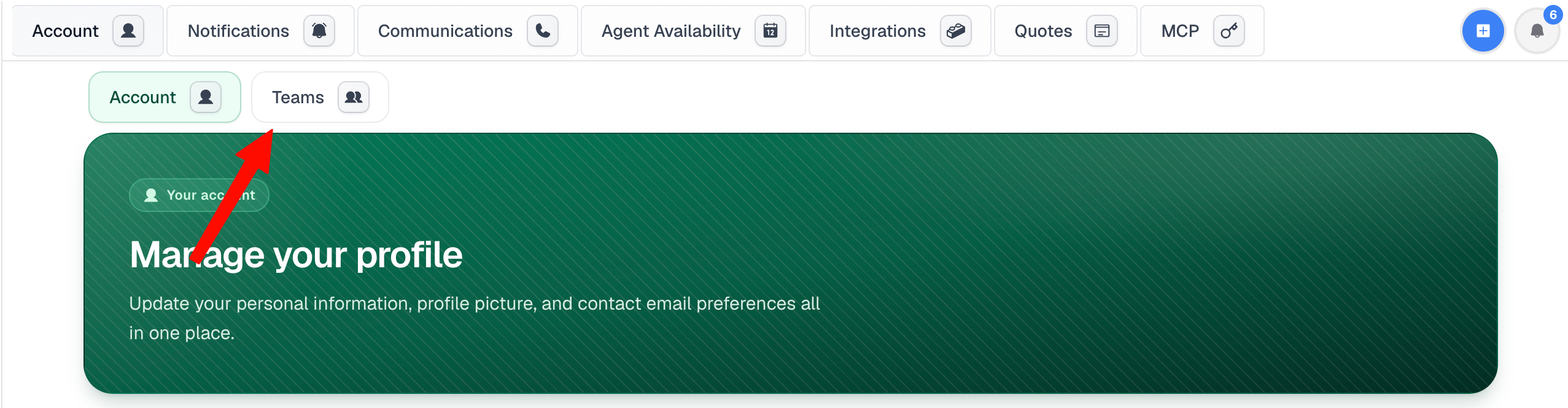
1. Navigate to Settings → Teams.
Log in to RentBamboo, open Settings, and select Teams.
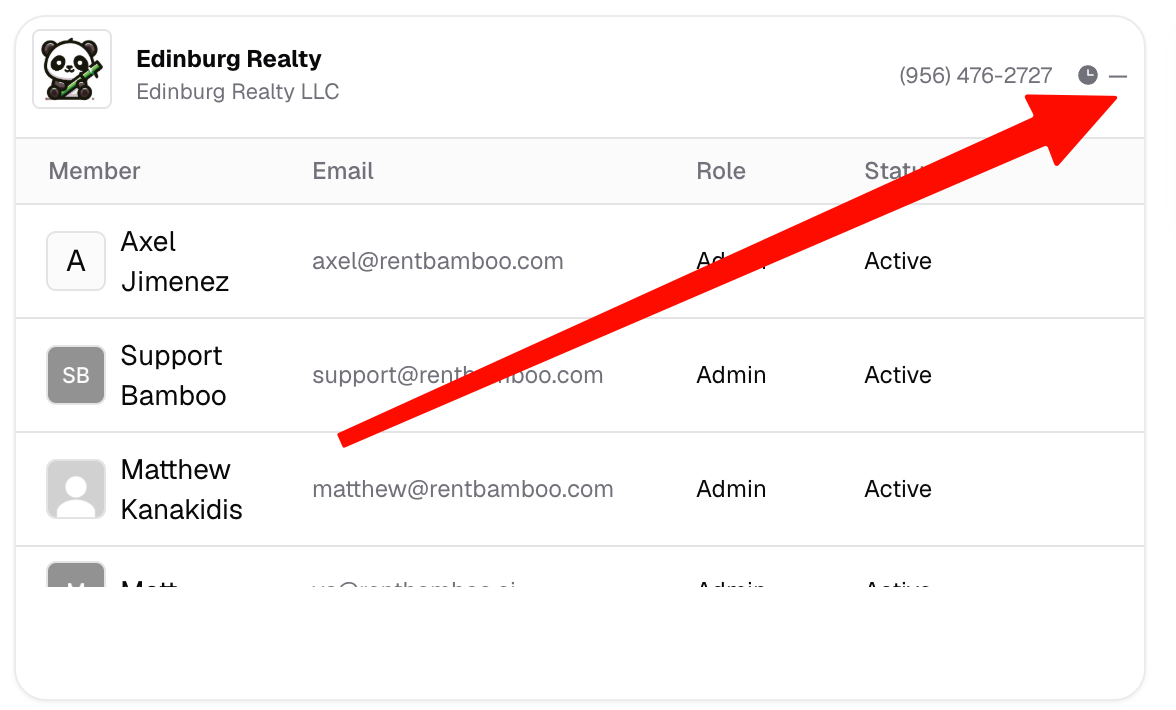
2. Select the team you want to configure.
Find the team you'd like to update and click the clock icon to open its office hours settings.
3. Set your office hours.
From the Office Hours window, select the days your office is open and set the corresponding start and end times. You can also mark individual days as unavailable.
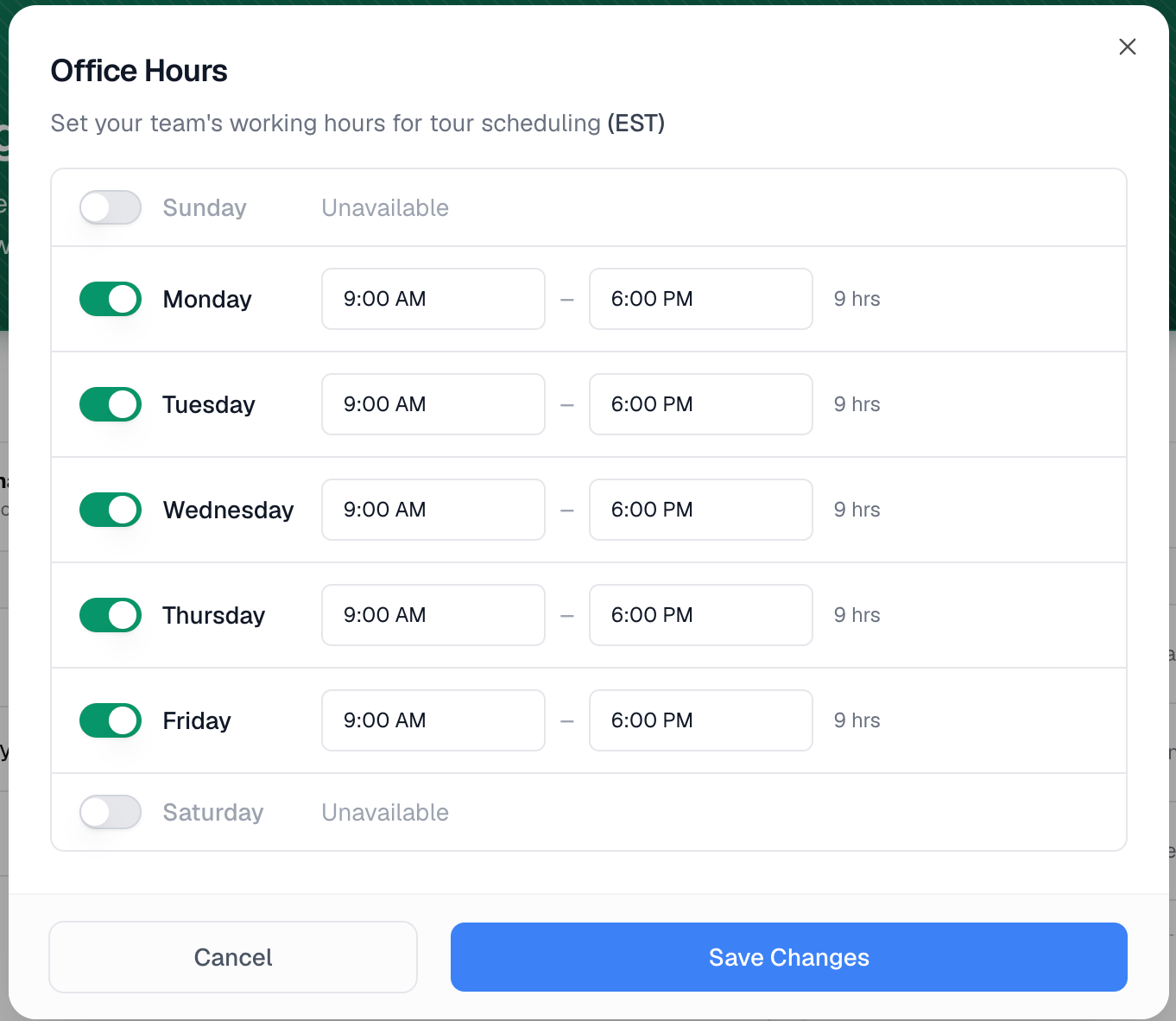
Once you've configured your preferred hours, save your changes.
You're all set! RentBamboo's AI will now have the updated office hours available when communicating with prospects and residents.